 Tools
ToolsProject Planner
Create a project plan from a goal, brief, launch idea, client request, or team initiative. Map scope, tasks, owners, milestones, deadlines, risks, and resources into one editable planning canvas.

Build a study plan from your goals, exam date, topics, weak areas, and available time. Flowacts helps you turn notes, deadlines, review blocks, and practice tasks into a schedule you can actually follow.
Start with what you need to learn and when it matters, then build a schedule that balances topics, review, and practice. Keep the plan close to the material it is organizing.
01
Add the exam, course, skill, reading list, or project you are preparing for, then set the date or weekly time window. Include any fixed classes, work hours, or unavailable days.
02
Organize chapters, concepts, practice areas, readings, assignments, or weak spots so the plan has clear study blocks. Group related topics before placing them on the schedule.
03
Place review sessions, practice questions, checkpoints, and catch-up time around the deadline so the plan stays realistic. Add lighter review days when the workload is already heavy.
A study plan is a structured schedule for learning specific material before a deadline or over a longer self-study period. It breaks a broad goal into topics, sessions, review blocks, practice tasks, reading time, checkpoints, and catch-up space.
For students, test takers, self-learners, and professionals, a useful study plan is not just a calendar. It shows which topics are high priority, which concepts need repetition, where practice questions fit, and how notes or source material stay connected in Flowacts.
Study plans work because learning improves when time, topics, and review are distributed. A visual plan helps you see what to study next, where extra practice is needed, and where the week may be overloaded.
Instead of writing "study biology," break the work into chapters, concepts, practice sets, and review blocks. Smaller sessions make progress easier to start and track.
Exam dates, assignment deadlines, and weekly availability stay in view, which makes the plan easier to adjust when a topic takes longer than expected.
Flowacts lets you keep source notes, questions, weak areas, and study tasks together instead of scattering them across apps. The plan stays connected to the material behind each session.
Keep going with templates and tools for the same workflow.
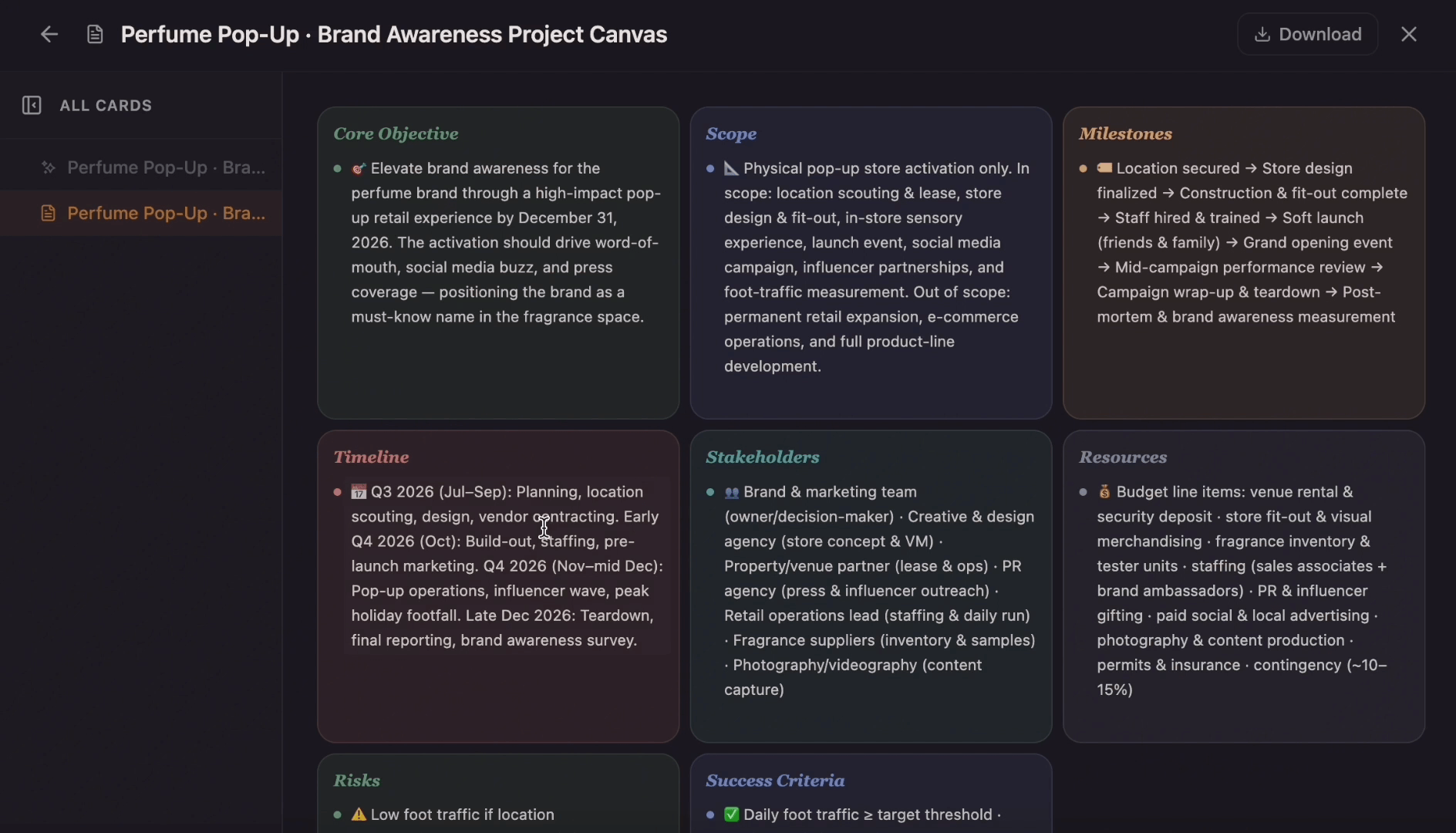
ToolsCreate a project plan from a goal, brief, launch idea, client request, or team initiative. Map scope, tasks, owners, milestones, deadlines, risks, and resources into one editable planning canvas.
 Templates
Ditch the flat spreadsheet and move from scattered task lists to a unified visual roadmap. Select this project management template to instantly generate a tailored workspace that maps out your exact project scope, timeline, deliverables, and blockers.
 Templates
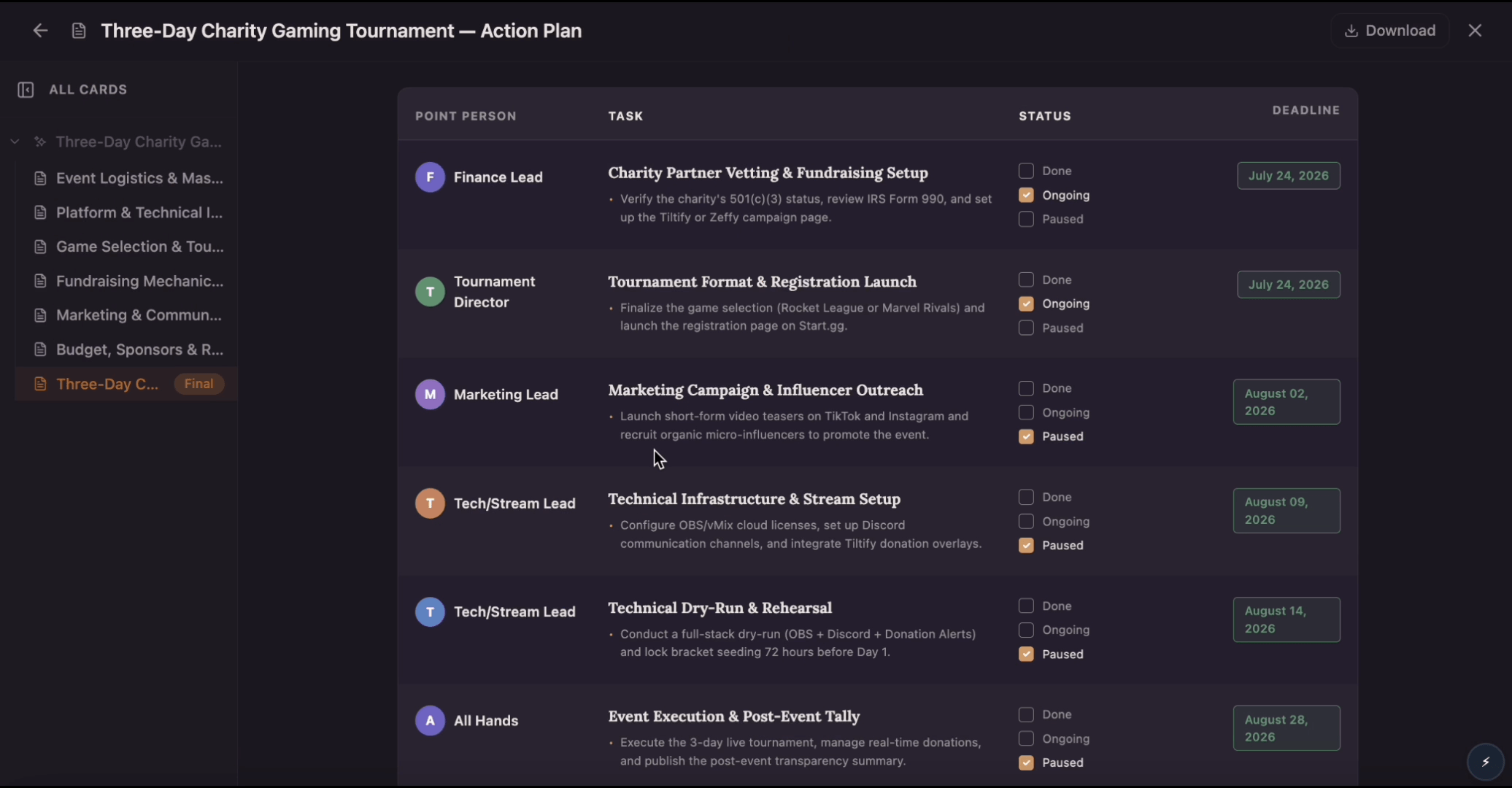
Build an action plan that turns ambitious goals into accountable work by breaking them into clear tasks with assigned owners, visible status, and real deadlines. Use this template to map out who does what by when, track progress as tasks move from planned to done, and keep everyone aligned while Flowacts organizes updates and surfaces what needs attention next.
 Tools
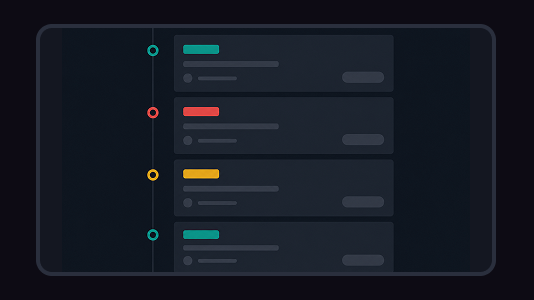
ToolsCreate a timeline from project milestones, historical events, company moments, campaign dates, or lesson notes. Add the key dates, arrange the sequence, and shape the result into a visual timeline on canvas.
Answers for students, self-learners, and teams turning study goals into a workable schedule.
Start with the subject, deadline, and available study time. Then break the material into topics, schedule review sessions, and leave buffer time for weak areas, practice, and catch-up days.
Yes. Enter your test date, subjects, diagnostic results, weekly availability, and practice-test rhythm, then organize the plan into topic blocks and review checkpoints.
It can help with class schedules, but the main purpose is deeper study planning: topics, deadlines, review sessions, practice tasks, notes, and progress checks.
Yes. Flowacts works for language learning, professional skills, exam prep, research reading, and any goal where you need to divide learning over time.
A useful study plan includes goals, topics, deadlines, session length, review blocks, practice tasks, progress checks, and buffer time for hard material.
Start with one idea. Leave with a canvas full of context, evidence, alignment, and next actions.