 Tools
ToolsProject Planner
Create a project plan from a goal, brief, launch idea, client request, or team initiative. Map scope, tasks, owners, milestones, deadlines, risks, and resources into one editable planning canvas.

Build an action plan that turns ambitious goals into accountable work by breaking them into clear tasks with assigned owners, visible status, and real deadlines. Use this template to map out who does what by when, track progress as tasks move from planned to done, and keep everyone aligned while Flowacts organizes updates and surfaces what needs attention next.
The Flowacts action plan template helps teams transform goals into structured, trackable action. It includes columns for task description, point person assignment, status tracking (Done, Ongoing, Paused), and deadlines so everyone knows exactly what needs to happen, who's responsible, and when it's due. Flowacts helps you break down goals into concrete steps while your team collaborates in real-time on a shared canvas where task ownership is clear, progress is visible, and follow-up happens without chasing people across emails.
The template highlights the rule that every action needs exactly one point person, making it impossible for tasks to fall through the cracks because "someone else" was supposed to handle it. Flowacts helps you clarify vague assignments and split multi-owner tasks into separate, clearly-owned actions.
Status-Driven Follow-Up The canvas shows Done, Ongoing, and Paused status at a glance across all actions, so standups focus on blockers instead of progress reports. When a task stays "Ongoing" past its deadline, Flowacts surfaces it automatically so you can adjust timelines or reallocate resources before delays cascade.
Living Timeline Adjustments When dependencies shift or new priorities emerge, update deadlines and reassign owners directly on the canvas without rebuilding the entire document. AI tracks what changed and why, so your team sees the current plan without losing the context of earlier decisions.
Click "Use Template" to open a new canvas with an action plan table already prepared, including columns for tasks, point person, status, and deadlines.
Edit the goal description, add specific tasks or action items, assign responsible owners for each row, and set realistic deadlines that match your team's capacity and project timeline.
Create a structured action plan with rows for each task, columns for owner and deadline, and status indicators (Done, Ongoing, Paused) that show progress at a glance.
Ask follow-up questions, add new tasks as priorities shift, update status when work completes, adjust deadlines when dependencies change, or reassign owners if someone's capacity changes.
Skip the frustration of staring at a daunting blank canvas—our templates do the foundational setup work for you right away.
The template enforces the rule that every action needs exactly one point person, making it impossible for tasks to fall through the cracks because "someone else" was supposed to handle it. AI helps you clarify vague assignments and split multi-owner tasks into separate, clearly-owned actions.
The canvas shows Done, Ongoing, and Paused status at a glance across all actions, so standups focus on blockers instead of progress reports. When a task stays "Ongoing" past its deadline, Flowacts surfaces it automatically so you can adjust timelines or reallocate resources before delays cascade.
When dependencies shift or new priorities emerge, update deadlines and reassign owners directly on the canvas without rebuilding the entire document. AI tracks what changed and why, so your team sees the current plan without losing the context of earlier decisions.
Got a question about using this action plan template? Here is what to know before you start planning, assigning, and tracking work.
An action plan is a structured roadmap that breaks a goal into specific tasks, each with an assigned owner and a deadline. It clarifies exactly who is responsible for each step and when it must be completed. Unlike a to-do list, an action plan connects tasks to a larger objective and includes timelines and accountability, turning intentions into trackable work.
Track progress by updating each task’s status, owner, deadline, and blockers as work moves forward. In Flowacts, your action plan lives on one canvas, so the team can see what is not started, in progress, blocked, or done without chasing updates across docs or messages.
An action plan focuses on specific tasks and their immediate execution—who does what by when. A project plan is broader, covering scope, budget, resources, timelines, risks, and dependencies across an entire project. Action plans work well for focused goals or single phases of work, while project plans manage complex, multi-phase efforts. Many project plans contain several action plans within them.
A good action plan has a clear goal, breaks work into specific tasks ordered logically, assigns exactly one owner to each task, sets realistic deadlines, and includes a way to track progress. The plan should be detailed enough that anyone could pick up a task and know what to do. Most importantly, a good action plan stays current—it gets reviewed and updated regularly as work progresses, not created once and abandoned.
Yes. An action log is essentially an action plan used for ongoing tracking across multiple initiatives. While a traditional action plan focuses on achieving one specific goal, an action log serves as a central tracker for action items from various meetings, projects, or teams. Flowacts works well for both—use the template as a single-project action plan or expand it into a multi-project action log by adding a project/source column to group related tasks.
Yes. Flowacts gives you the familiar structure of an Excel action plan template, with columns for tasks, owners, deadlines, status, and notes. The difference is that your plan stays on an editable canvas where the team can discuss, update, and track work in context.
You can start from the action plan template in Flowacts and customize it for your team’s workflow. Use it to plan tasks, assign owners, track progress, and update the canvas as work changes.
Browse related template categories to find more workflows connected to this template.
Keep going with templates and tools for the same workflow.
ToolsCreate a project plan from a goal, brief, launch idea, client request, or team initiative. Map scope, tasks, owners, milestones, deadlines, risks, and resources into one editable planning canvas.
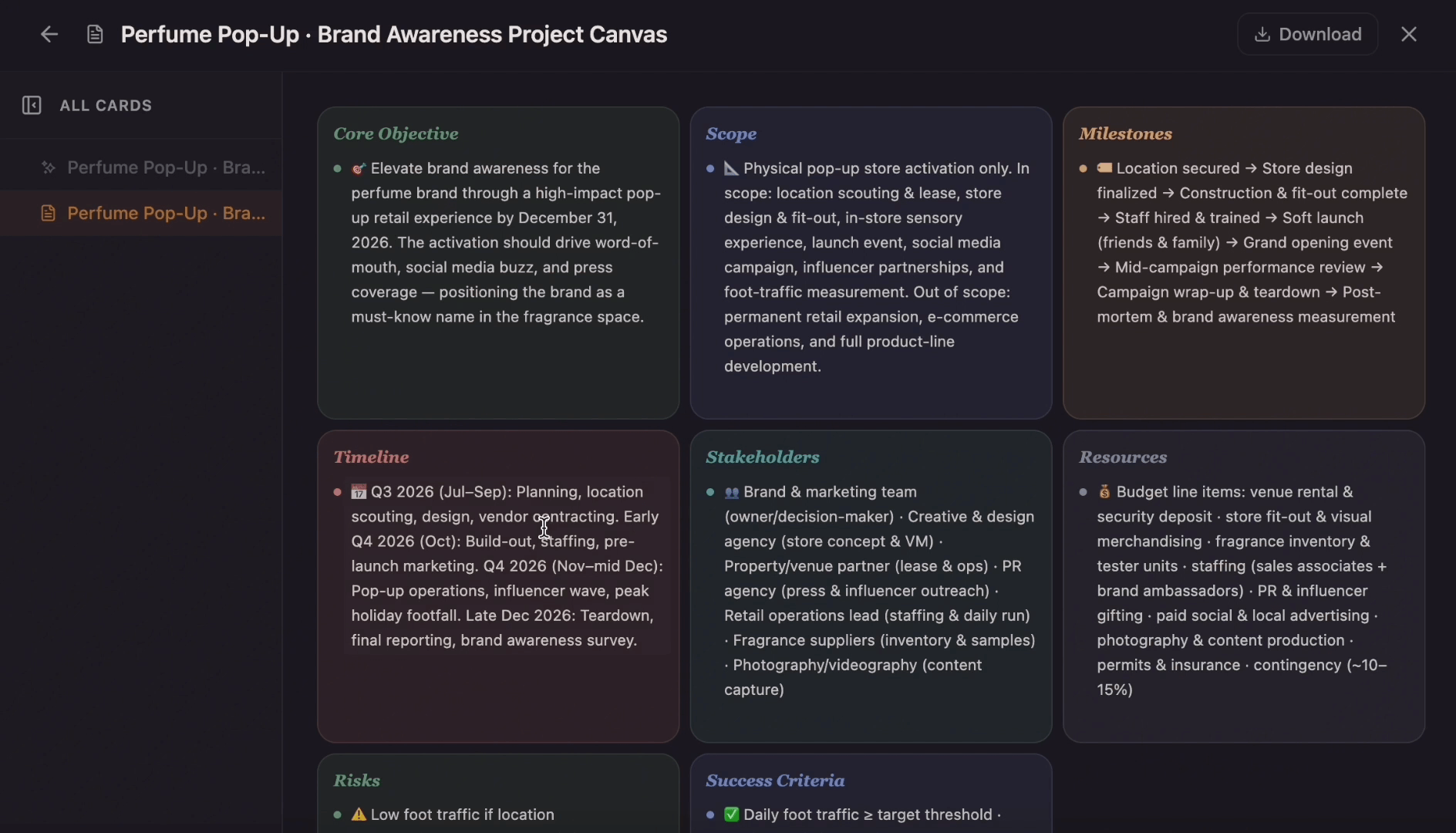 Templates
Ditch the flat spreadsheet and move from scattered task lists to a unified visual roadmap. Select this project management template to instantly generate a tailored workspace that maps out your exact project scope, timeline, deliverables, and blockers.
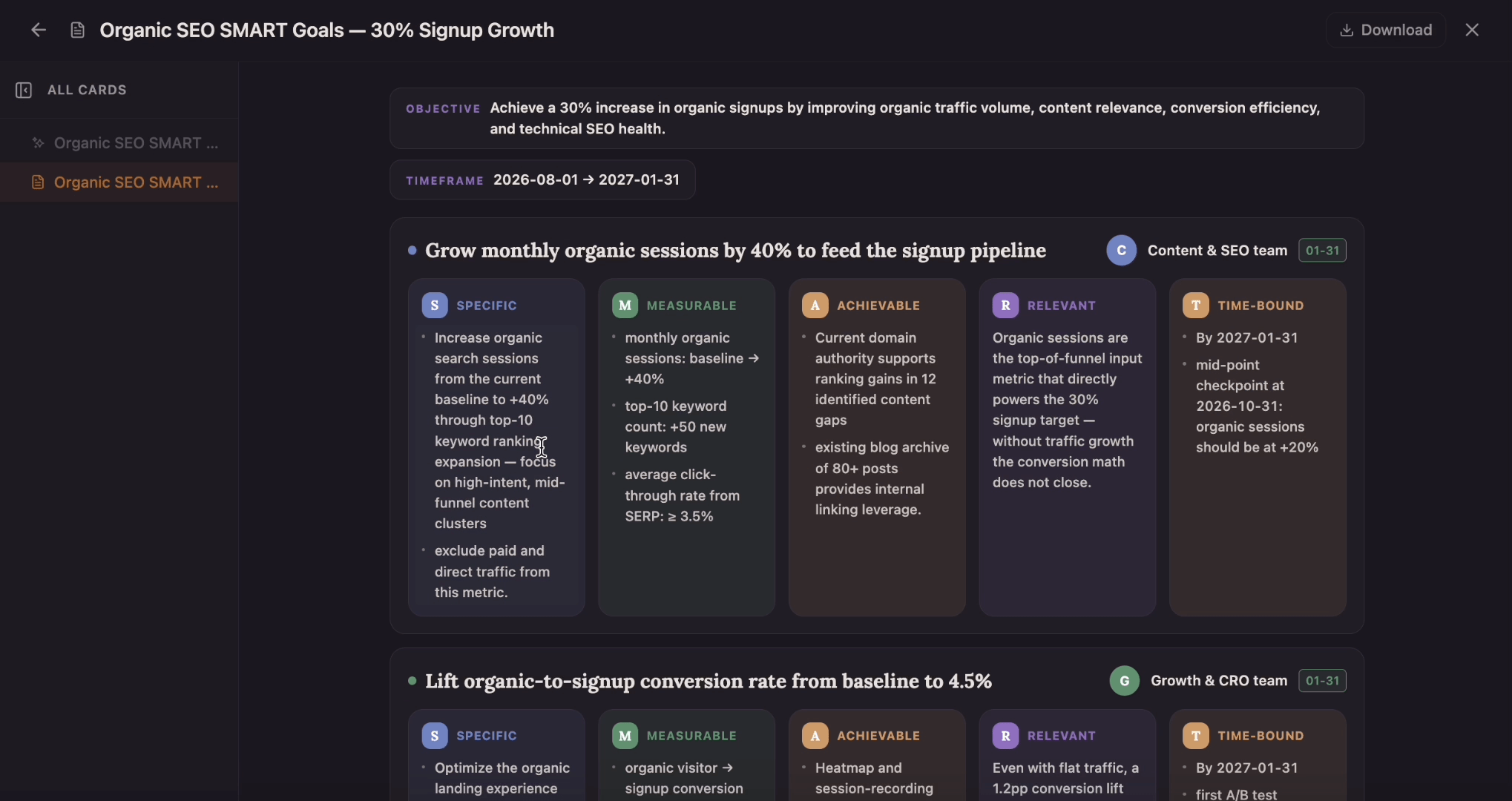 Templates
What turns “get better at marketing” into a goal you can actually hit? Set an objective and a timeframe, then work each goal through the five SMART cells — Specific, Measurable, Achievable, Relevant, Time-bound — with an owner and a due date attached.
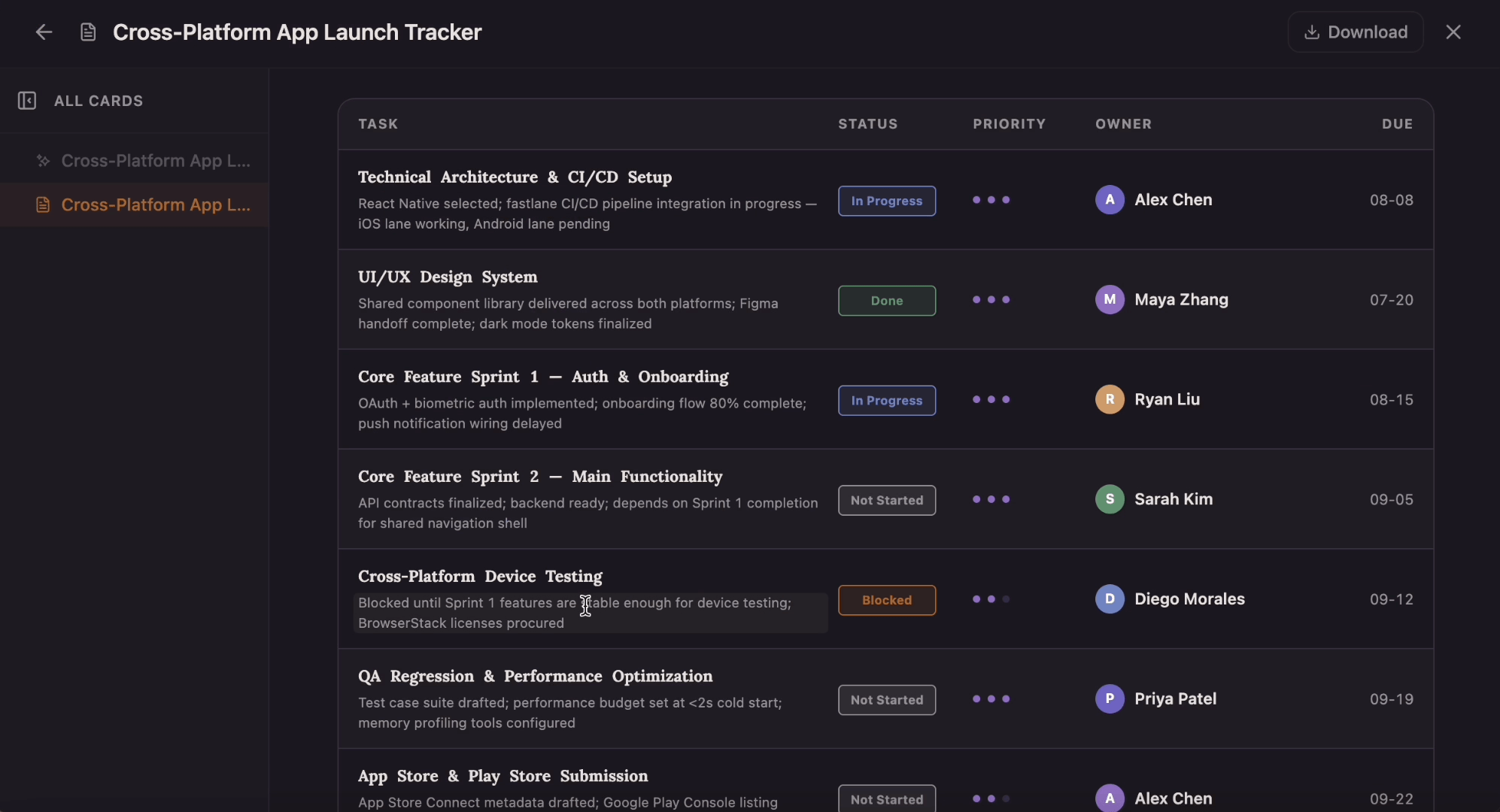 Templates
Which tasks are on track, and which are quietly blocked? This tracker gives every task a row with a four-state status pill, a one-to-three-dot priority, an owner, and a due date that flips to red the moment it slips past today.