Flowacts Logo
How it worksWhy FlowactsUse casesTemplatesPricingFAQ
Flowacts Logo
The workspace where you, your team, and AI build together.

Product

PricingContact Us

Resources

Help Center

Explore

TemplatesTools

All rights reserved. © 2026 Flowacts

Privacy PolicyTerms of Use
TemplatesStrategySMART Goals Template

SMART Goals Template

What turns “get better at marketing” into a goal you can actually hit? Set an objective and a timeframe, then work each goal through the five SMART cells — Specific, Measurable, Achievable, Relevant, Time-bound — with an owner and a due date attached.

About the SMART Goals Template

A SMART goal is one written to be Specific, Measurable, Achievable, Relevant, and Time-bound, so an intention becomes something you can hold people to. This template opens with an objective and a timeframe, then holds two to five goal cards beneath them—each a single goal sentence carrying an owner and a due date, split into the five criteria as its own cells. Teammates can challenge a soft metric or a slipping deadline right where the goal lives.

Why Teams Use It

Most goal-setting exercises end up as a slide everyone nods at and nobody opens again. The weak point is usually the “M”—a goal like “improve onboarding” carries no number, so no one can say whether it worked. Here each goal card names an owner and a due date and gives the metric its own cell, so “raise activation” has to become a baseline and a target before it counts. One person drafts the objective, another checks whether it's achievable this quarter, and the goal turns into a card the team revisits instead of a slide it forgets.

What's Included

The template opens with an objective statement and a timeframe, then holds two to five goal cards beneath them. Each card pairs a goal sentence with an owner and a due date, and splits into five cells—Specific, Measurable, Achievable, Relevant, and Time-bound. Guided prompts help you turn a vague line into a target with a number and a deadline, and flag any cell left empty.

When To Use It

Use this template when launching a project, running quarterly or OKR planning, or helping team members set development goals. It earns its place when an objective feels too vague to start on, or when several goals share one timeframe and each needs its own owner and deadline.

How to Use This Template

  1. 1

    Use the Template

    Click “Use Template” to open a new canvas with a SMART goals framework already prepared.

  2. 2

    Customize the Prompt

    Edit the objective, timeframe, and each goal statement, then assign an owner and a due date per card.

  3. 3

    Generate Your Canvas

    Create a set of goal cards, each broken into five cells for Specific, Measurable, Achievable, Relevant, and Time-bound.

  4. 4

    Refine With Chat

    Ask follow-up questions, tighten a fuzzy metric, move a deadline, or add another goal card under the same objective.

The AI Canvas Workspace

Skip the frustration of staring at a daunting blank canvas—our templates do the foundational setup work for you right away.

Metric Pressure-Testing

The criterion teams fumble most is Measurable, so the canvas keeps the metric in its own cell and won't let it stay abstract. Ask Flowacts to review a goal and it points out where a target number, baseline, or unit is missing before the goal gets locked in.

In-Context Relevance Debate

Goals that nobody believes in quietly die, so this canvas puts the “why” next to the goal for stakeholders to challenge directly. When someone questions whether an objective still matters this quarter, the discussion happens in place and the decision stays visible to everyone who follows.

Owned Cards Under One Objective

Every goal card names an owner and a due date, and two to five of them ladder up to a single objective and timeframe. Ask Flowacts to check the set and it flags a goal with no owner, a missing deadline, or an empty SMART cell before the plan goes live.

Questions About the SMART Goals Template

Got a question about how this specific canvas behaves? Here is what you need to know before you get started.

SMART goals are objectives written to meet five criteria: Specific, Measurable, Achievable, Relevant, and Time-bound. The framework, introduced by George Doran in 1981, turns a broad intention like “grow the audience” into a defined target such as “add 2,000 email subscribers by June.” Each criterion forces a decision that makes the goal clearer and easier to track.

SMART stands for Specific, Measurable, Achievable, Relevant, and Time-bound. Read as questions, the letters ask: what exactly are you doing, how will you measure it, is it realistic with your resources, does it align with wider priorities, and by when. A goal that answers all five is far harder to misread than a one-line ambition.

In this template the objective is the broad outcome you're steering toward—“launch v2.0 and prove growth this quarter”—and it sits at the top with a timeframe. The goal cards beneath it are the specific, measurable targets that get you there, like “hit 50k mobile DAU by Sept 30.” One objective can hold several goals, each with its own owner and deadline.

Start with a rough intention and refine it one cell at a time: name the exact outcome, attach a number so it is measurable, confirm the resources exist, check it aligns with your priorities, and set a deadline. Then give it an owner. For example, “get better at marketing” becomes “publish two SEO posts a week to lift blog traffic 25% within three months.”

SMARTER adds two steps to the original five: Evaluated and Reviewed. Evaluated means you check progress at regular intervals, and Reviewed means you reflect on what worked once the goal is done. Plain SMART sets the goal clearly; SMARTER wraps a feedback loop around it, which suits longer or recurring objectives.

Yes. A single objective can hold two to five goal cards, each a separate SMART goal with its own owner and due date. That lets a team line up goals that share a timeframe—say, a growth target and a stability target for the same release—and see them side by side under one heading.

Template details

Best for

Project ManagersTeam LeadsProduct ManagersMarketing ManagersHR & People Ops

Tags

Goal SettingStrategic PlanningPerformance ManagementTeam AlignmentProductivity

Description

What turns “get better at marketing” into a goal you can actually hit? Set an objective and a timeframe, then work each goal through the five SMART cells — Specific, Measurable, Achievable, Relevant, Time-bound — with an owner and a due date attached.

Share

Categories

Browse related template categories to find more workflows connected to this template.

  • Strategy

    5
  • Analysis

    5
  • Project Management

    5
  • Meetings

    3
  • Chart

    2

Related tools & templates

Keep going with templates and tools for the same workflow.

Action Plan templateTemplates

Action Plan template

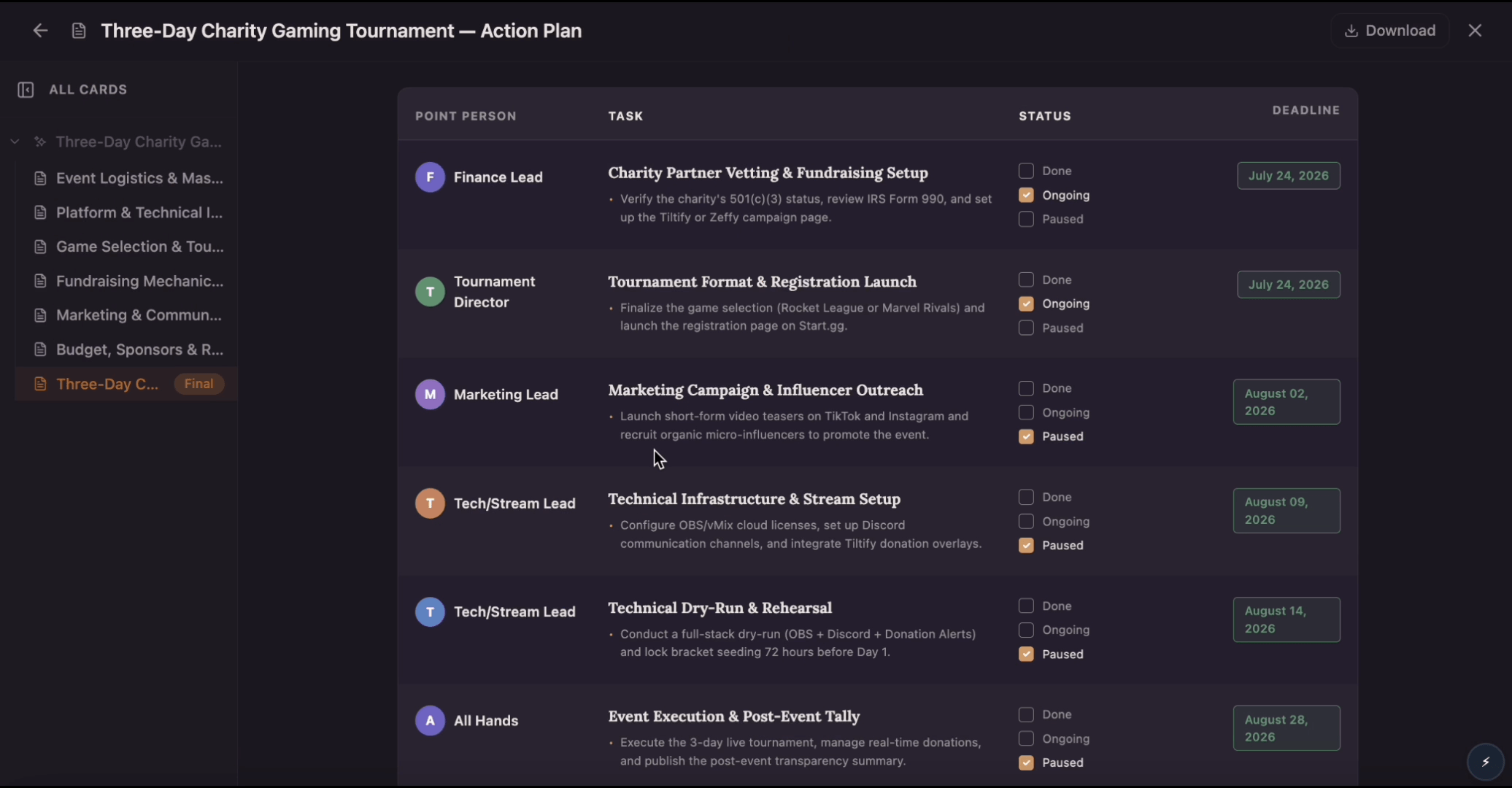
Build an action plan that turns ambitious goals into accountable work by breaking them into clear tasks with assigned owners, visible status, and real deadlines. Use this template to map out who does what by when, track progress as tasks move from planned to done, and keep everyone aligned while Flowacts organizes updates and surfaces what needs attention next.

Project PlannerTools

Project Planner

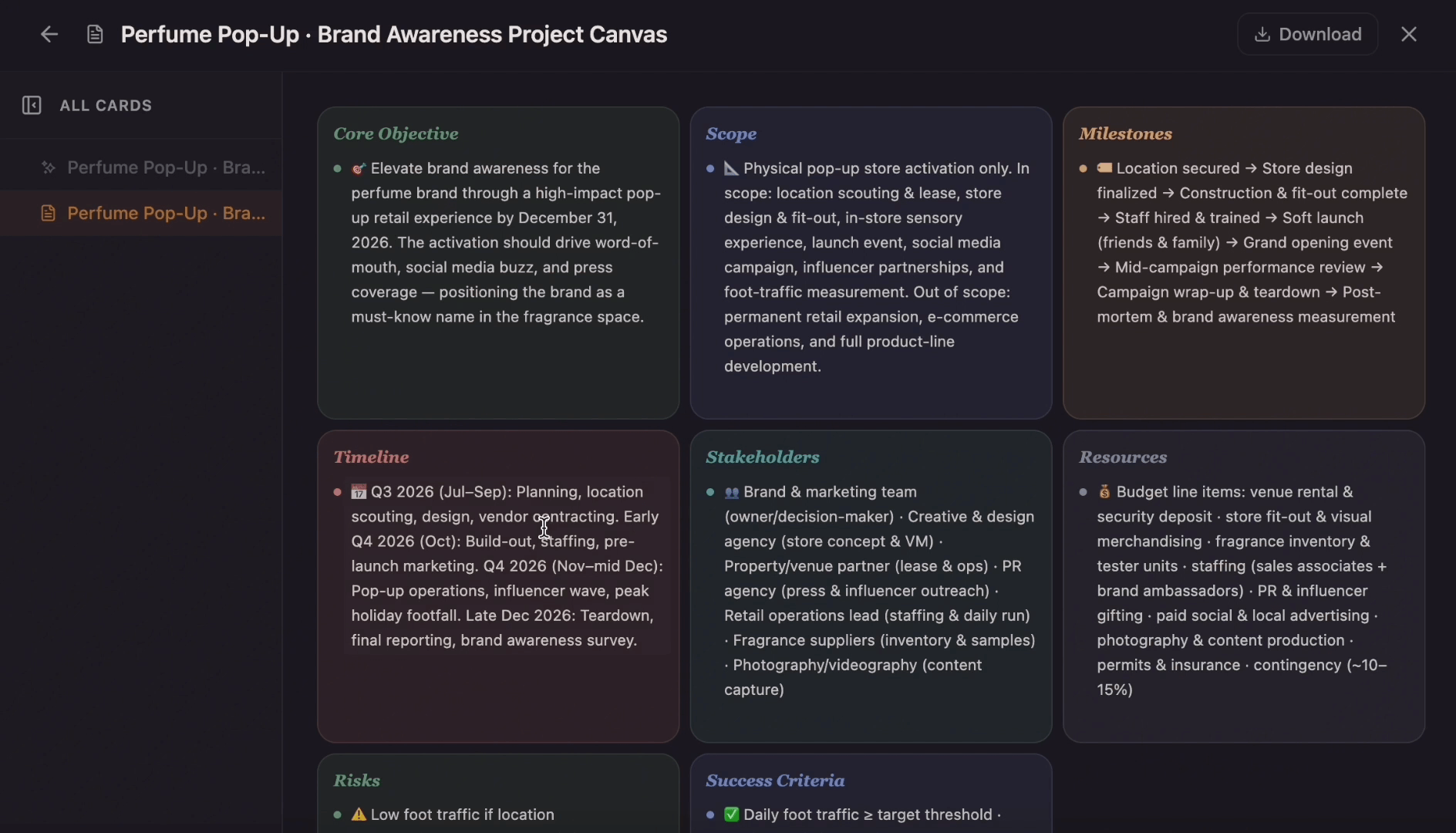
Create a project plan from a goal, brief, launch idea, client request, or team initiative. Map scope, tasks, owners, milestones, deadlines, risks, and resources into one editable planning canvas.

Project Planning TemplateTemplates

Project Planning Template

Ditch the flat spreadsheet and move from scattered task lists to a unified visual roadmap. Select this project management template to instantly generate a tailored workspace that maps out your exact project scope, timeline, deliverables, and blockers.

Roadmap MakerTools

Roadmap Maker

Create a roadmap from a product idea, project goal, strategy brief, release plan, or campaign direction. Organize goals, priorities, phases, milestones, owners, and status into one visual plan.