

Flowacts Logo
How it worksWhy FlowactsUse casesTemplatesPricingFAQ
Flowacts Logo
The workspace where you, your team, and AI build together.

Product

PricingContact Us

Resources

Help Center

Explore

TemplatesTools

All rights reserved. © 2026 Flowacts

Privacy PolicyTerms of Use
ToolsRoadmap Maker

Roadmap Maker

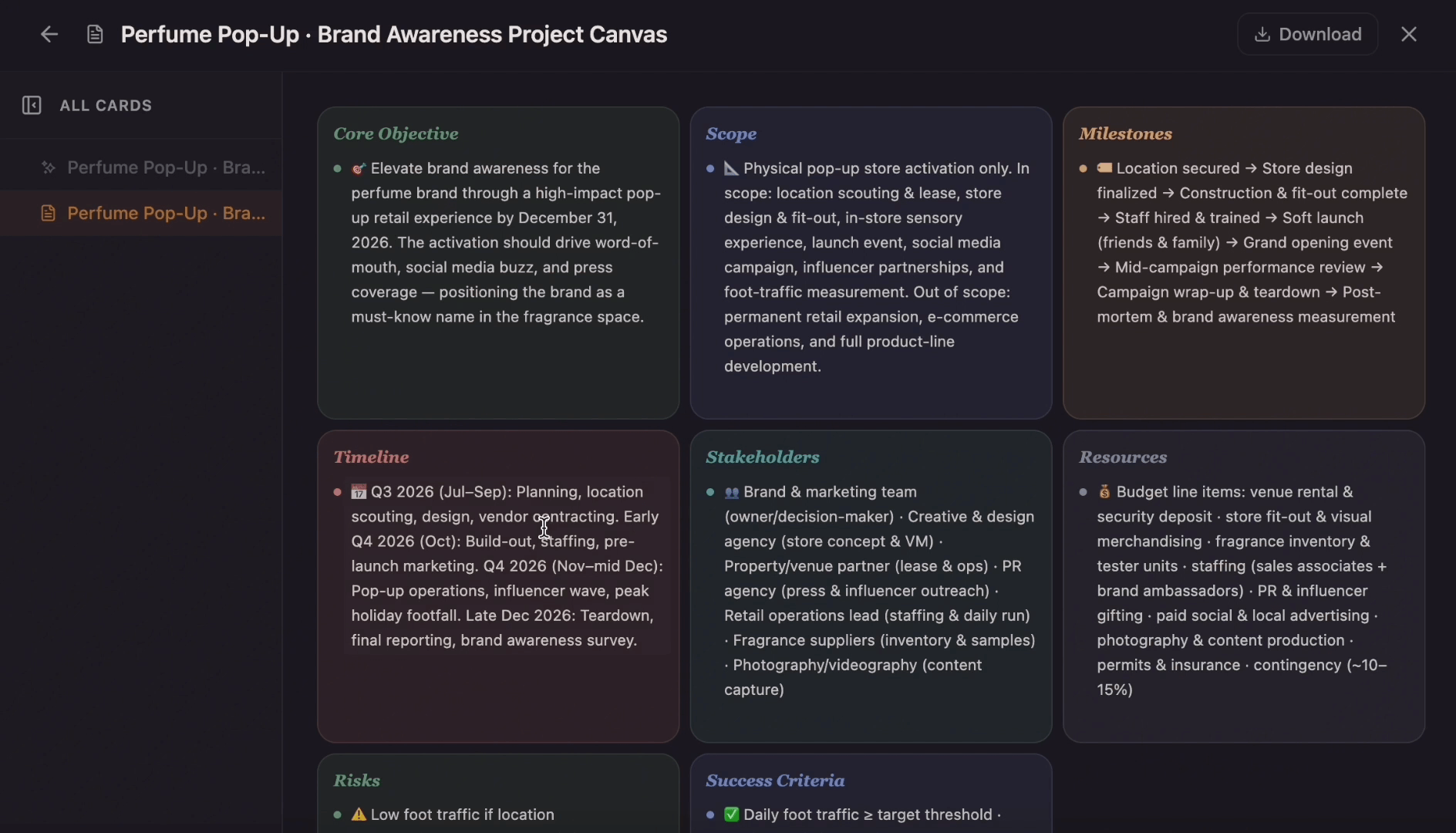
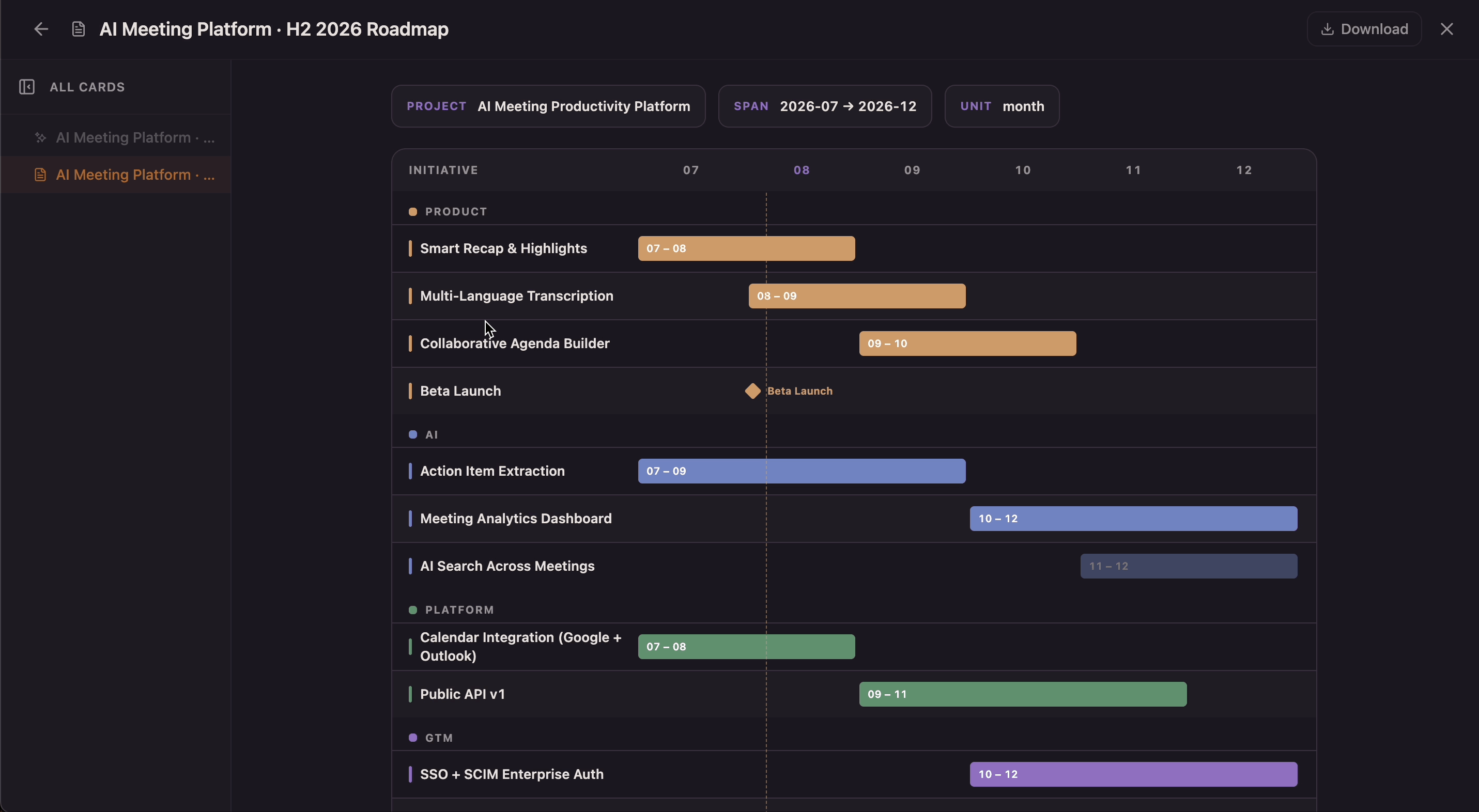
Create a roadmap from a product idea, project goal, strategy brief, release plan, or campaign direction. Organize goals, priorities, phases, milestones, owners, and status into one visual plan.

Once your project is created, you can use @ to mention pages or nodes and quickly link related context.

How to Make a Roadmap with Flowacts

A roadmap helps people see where the work is going before they argue over individual tasks. Flowacts turns goals, ideas, priorities, and timing notes into a roadmap structure you can review before turning it into slides, project plans, or delivery schedules.

01

Define The Direction

Start with the product, project, campaign, or strategy you want to map. Add the goal, audience, timeframe, constraints, or themes if you already know them.

02

Prioritize The Work

Group ideas into phases, initiatives, releases, or now-next-later lanes. Decide what matters first, what can wait, and which milestones should anchor the roadmap.

03

Refine The Story

Rename roadmap items, adjust phases, add owners or status, and make sure the roadmap explains both what will happen and why it matters. Use it for stakeholder reviews, planning meetings, product updates, or strategy presentations.

What Is a Roadmap?

A roadmap is a visual plan that communicates goals, priorities, major initiatives, and expected progress over time. It is not a detailed task schedule. A good roadmap shows the direction of a product, project, team, or strategy so people understand what matters, what comes first, and how each phase supports the bigger goal.

An online roadmap maker helps you create that structure without building slides from scratch. With Flowacts, you can start from a brief, idea list, product goal, meeting note, or campaign direction, then shape the roadmap into phases, themes, milestones, releases, owners, and status markers.

Why Roadmaps Work

Roadmaps work because they keep strategy visible while plans change. They give teams and stakeholders a shared view of priorities, timing, and tradeoffs before the work becomes a long task list.

Align On Priorities

Roadmaps make it easier to explain why some initiatives come before others. Product, marketing, leadership, and project teams can point to the same priorities instead of debating from separate notes.

Show The Big Picture

A roadmap connects goals, phases, milestones, releases, and themes in one view. It helps people understand direction without needing every task, dependency, or detailed date.

Adapt Without Losing Context

Plans shift when feedback, resources, deadlines, or market conditions change. A roadmap gives you a structure to update priorities while keeping the original strategy and stakeholder context visible.

Related tools & templates

Keep going with templates and tools for the same workflow.

Roadmap TemplateTemplates

Roadmap Template

Build a visual roadmap with monthly timeline lanes, grouped initiatives, milestones, launch markers, and current-month indicators in one shared canvas. Flowacts helps teams turn strategic plans into a timeline view that stays easy to scan as priorities and dates shift.
Project PlannerTools

Project Planner

Create a project plan from a goal, brief, launch idea, client request, or team initiative. Map scope, tasks, owners, milestones, deadlines, risks, and resources into one editable planning canvas.

Gantt Chart MakerTools

Gantt Chart Maker

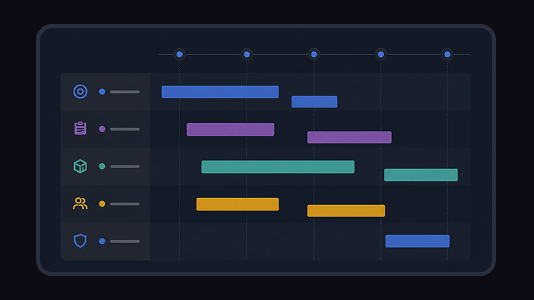
Create a Gantt chart from a task list, project brief, launch plan, or schedule notes. Map start dates, end dates, durations, dependencies, task owners, progress, and milestones on a visual project timeline.

Project Planning TemplateTemplates

Project Planning Template

Ditch the flat spreadsheet and move from scattered task lists to a unified visual roadmap. Select this project management template to instantly generate a tailored workspace that maps out your exact project scope, timeline, deliverables, and blockers.

Frequently Asked Questions About Roadmap Maker

Quick answers for creating, editing, and using roadmaps in Flowacts.

A roadmap maker is a tool for creating a visual plan that shows goals, priorities, phases, milestones, and progress over time. Flowacts helps you start from a brief, idea, or goal and shape it into a roadmap your team can review.

Start with the goal, audience, timeframe, and major themes. Then group work into phases or priority lanes, add milestones, clarify ownership or status, and refine the roadmap until it communicates direction clearly.

A product roadmap should connect product goals to themes, features, releases, customer needs, and milestones. Keep it high-level enough for stakeholders to understand direction, then use project plans or Gantt charts for detailed delivery scheduling.

Yes. A project roadmap is useful when you want a high-level view of phases, milestones, priorities, and outcomes. For day-to-day execution, connect it to a project planner or Gantt chart so tasks, owners, dates, and dependencies are easier to manage.

A timeline focuses on events or milestones in chronological order. A roadmap focuses on strategic direction, priorities, phases, and why the work matters over time.

Include goals, themes, initiatives, priorities, phases, milestones, owners, status, and any key assumptions or constraints. The best roadmap is clear enough for stakeholders without becoming a detailed task list.

Don't just chat it. Flowacts it.

Start with one idea. Leave with a canvas full of context, evidence, alignment, and next actions.