 Tools
ToolsProject Planner
Create a project plan from a goal, brief, launch idea, client request, or team initiative. Map scope, tasks, owners, milestones, deadlines, risks, and resources into one editable planning canvas.

Ditch the flat spreadsheet and move from scattered task lists to a unified visual roadmap. Select this project management template to instantly generate a tailored workspace that maps out your exact project scope, timeline, deliverables, and blockers.
A project planning template helps teams define what needs to be done, who owns each workstream, when milestones are due, and what risks may affect delivery.
Flowacts gives project managers, product owners, operations leads, and cross-functional teams a visual workspace for planning and tracking execution. Add your project goals, resources, timeline, deliverables, constraints, and blockers, then generate a canvas that your team can edit together.
Spreadsheets are useful for tracking rows of tasks, but they often hide project context. Flowacts keeps the plan, dependencies, decisions, risks, notes, and follow-up questions in one visual workspace.
Use AI to structure rough notes, create a first project plan, summarize updates, identify missing dependencies, rewrite unclear tasks, or adapt the plan when scope or timing changes.
The template provides a central canvas with automated workflows, dashboards, and charts to map dependencies and analyze project data. It includes pre-structured nodes for phasing projects from initial goal setting through to final delivery and performance tracking. This framework consolidates your project files and timelines into one accessible location.
Deploy this template prompt when kicking off a new initiative or framing complex project requirements with your team. It is perfect for structuring milestones, mapping operational capacity, and aligning stakeholders before committing resources or development time.
Click “Use Template” to open a new canvas with a project management prompt already prepared.
Edit the project goals, team resources, timeline constraints, deliverables, and milestones to match your situation.
Let Flowacts build out a structured project planning canvas with sections for task lists, project scope, team resources, milestones, timelines, and risks.
Ask follow-up questions, add new tracking blocks, or adjust the schedule as your project requirements change.
Skip the frustration of staring at a daunting blank canvas—our templates do the foundational setup work for you right away.
Turn a loose project brief into a visible plan with goals, scope, milestones, owners, dependencies, and risks arranged in one workspace. Keep the roadmap close to the work so every phase has a clear outcome and next step.
Map tasks, workstreams, deadlines, blockers, and handoffs as connected blocks instead of isolated spreadsheet rows. Teams can see how scope, owners, resources, and milestones affect delivery before the schedule slips.
When scope, resources, or deadlines shift, update the canvas through chat and reshape phases, task owners, risk notes, dependencies, and milestone timing without rebuilding the project plan from scratch.
Got a question about how this specific canvas behaves? Here is what you need to know before you get started.
It is an interactive, visual blueprint that replaces flat spreadsheets with dynamic tracking blocks. It serves as a central hub where your team can organize task lists, define project scope, allocate resources, and monitor real-time schedules all in one shared canvas.
Yes. Before you click “send", you can edit, tweak, or add specific details to the pre-loaded text prompt in the chat bar to match your project's exact scope.
You don't have to restart. You can simply tell the AI about the new deadline or added deliverables, and it will automatically shift your existing tracking blocks and update your timelines to reflect the new schedule.
Every node generated on the canvas supports individual team assignments. You can manually tag team members, comment or ask Flowacts to generate a dedicated workload matrix that summarizes everyone's current responsibilities in one view
Yes. You can paste raw status logs, meeting transcripts, or project briefs directly into the chat bar during setup. The AI will instantly read that data to organize and populate your canvas blocks with your actual project details.
You can invite team members directly into the workspace for live, real-time collaboration, or generate a quick, read-only link to share a clean layout of your canvas with external collaborators without letting them alter your work.
Browse related template categories to find more workflows connected to this template.
Keep going with templates and tools for the same workflow.
ToolsCreate a project plan from a goal, brief, launch idea, client request, or team initiative. Map scope, tasks, owners, milestones, deadlines, risks, and resources into one editable planning canvas.
 Templates
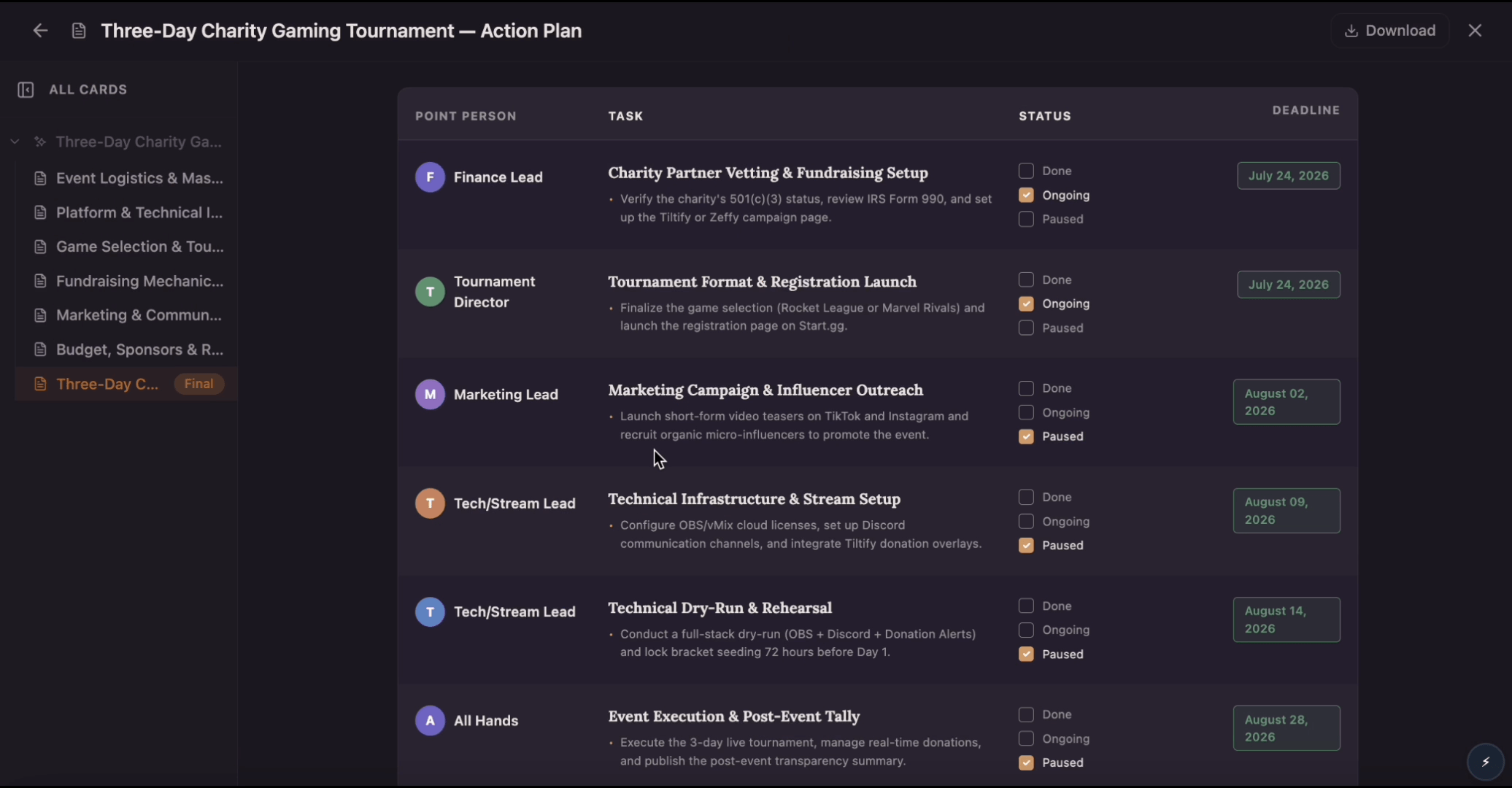
Build an action plan that turns ambitious goals into accountable work by breaking them into clear tasks with assigned owners, visible status, and real deadlines. Use this template to map out who does what by when, track progress as tasks move from planned to done, and keep everyone aligned while Flowacts organizes updates and surfaces what needs attention next.
 Tools
ToolsCreate a Gantt chart from a task list, project brief, launch plan, or schedule notes. Map start dates, end dates, durations, dependencies, task owners, progress, and milestones on a visual project timeline.
 Templates
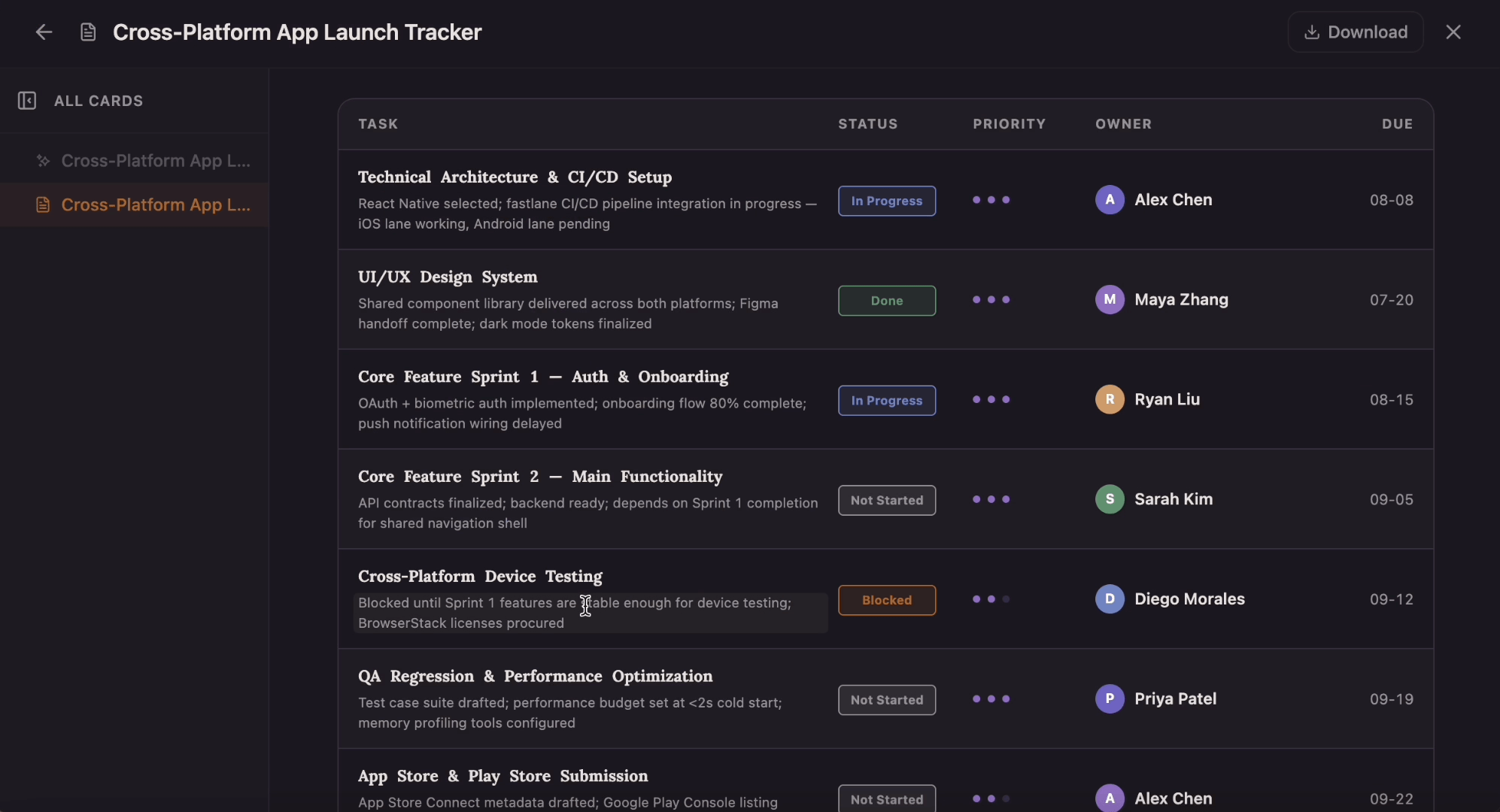
Which tasks are on track, and which are quietly blocked? This tracker gives every task a row with a four-state status pill, a one-to-three-dot priority, an owner, and a due date that flips to red the moment it slips past today.