

Flowacts Logo
How it worksWhy FlowactsUse casesTemplatesPricingFAQ
Flowacts Logo
The workspace where you, your team, and AI build together.

Product

PricingContact Us

Resources

BlogHelp Center

Explore

TemplatesTools

All rights reserved. © 2026 Flowacts

Privacy PolicyTerms of Use
ToolsProject Planner

Project Planner

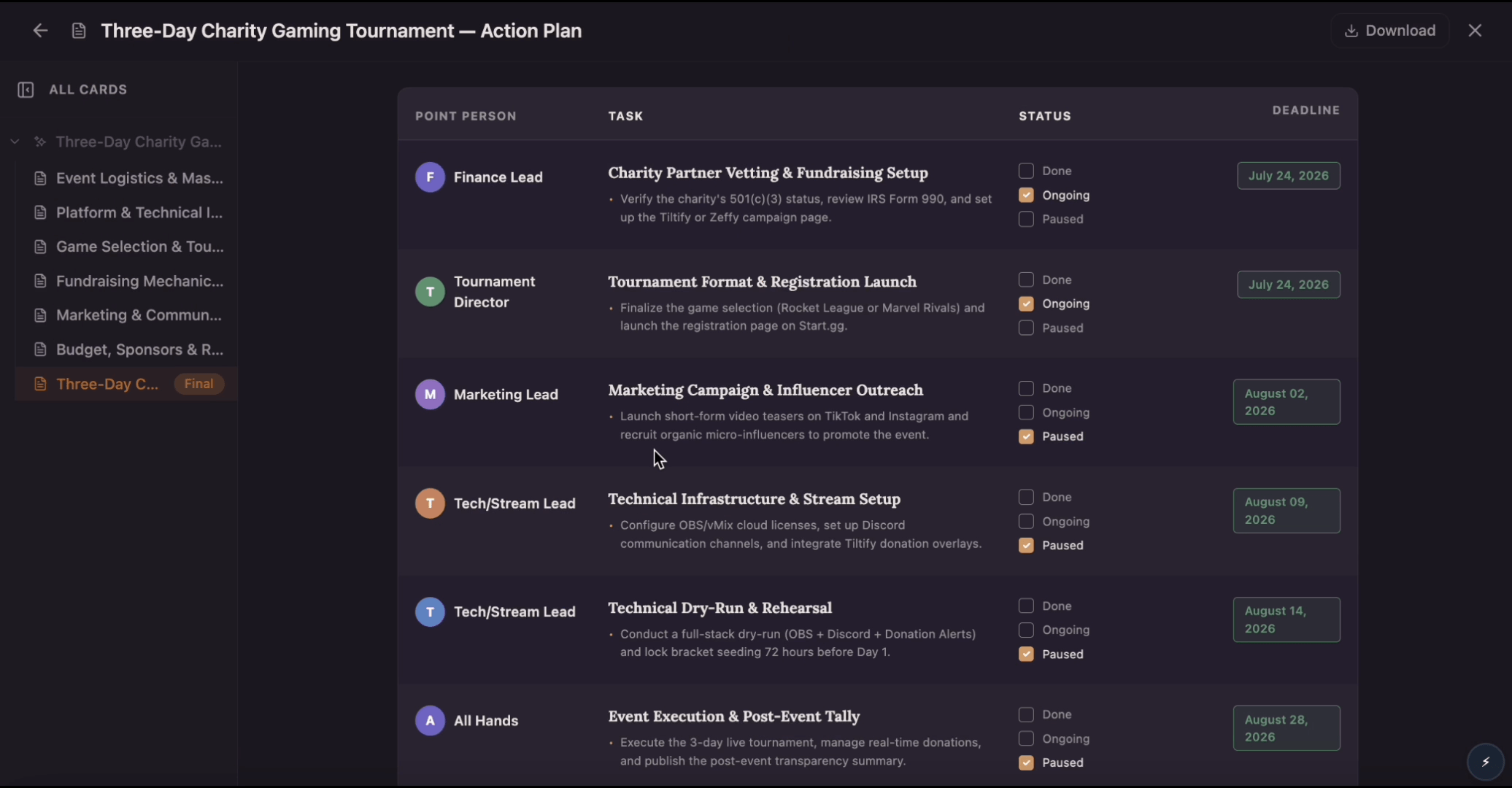
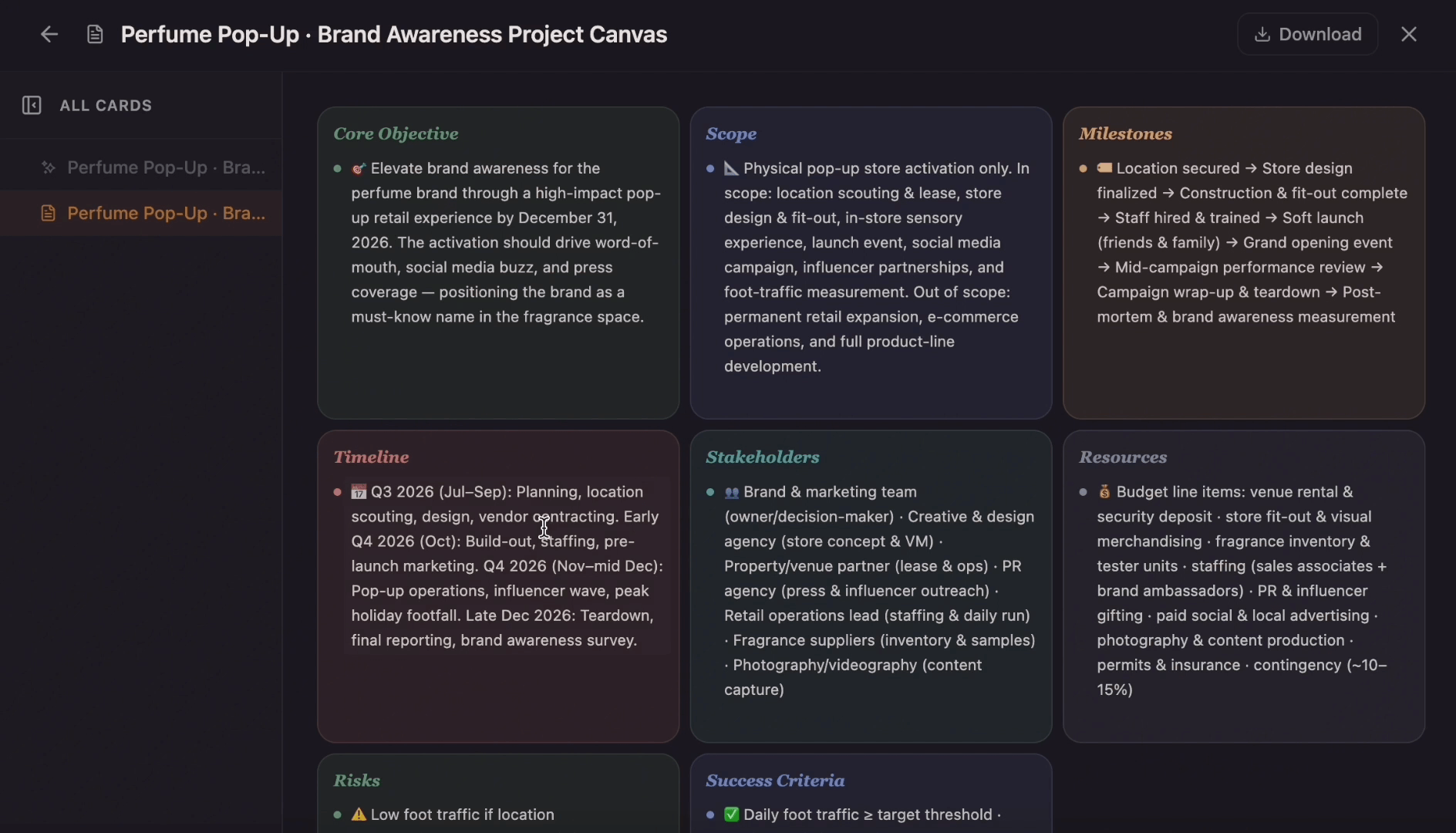
Create a project plan from a goal, brief, launch idea, client request, or team initiative. Map scope, tasks, owners, milestones, deadlines, risks, and resources into one editable planning canvas.

Once your project is created, you can use @ to mention pages or nodes and quickly link related context.

How to Make a Project Plan with Flowacts

A good project plan turns a broad goal into visible work. Flowacts helps you move from a rough brief to a practical structure: what needs to happen, who owns it, when it is due, what could block it, and how the work should be grouped.

01

Define The Project Goal

Start with the project name, outcome, audience, deadline, and any constraints you already know. You can write one sentence, paste a client brief, or add notes from a kickoff meeting.

02

Break Work Into Phases

Group the work into phases, deliverables, tasks, owners, dependencies, and milestones. Check whether each phase has a clear purpose and whether important work is missing before the team starts executing.

03

Review The Plan

Adjust task labels, add deadlines, assign owners, flag risks, and refine the timeline. Use the finished project plan as a planning document, kickoff reference, status-review canvas, or starting point for a roadmap or Gantt chart.

What Is a Project Plan?

A project plan is a structured outline of how a project will move from goal to completion. It usually includes scope, deliverables, tasks, owners, milestones, deadlines, dependencies, risks, resources, and success criteria. The plan gives the team a shared view of what needs to happen and what decisions still need attention.

An online project planner helps you create that structure without starting from a blank document or spreadsheet. With Flowacts, you can describe the project in plain language, then shape the result into a project planner template that can be reviewed, edited, and reused for launches, client work, internal initiatives, school projects, marketing campaigns, and product updates.

Why Project Plans Work

Project plans reduce ambiguity before work gets expensive. They help teams see the work, test the timeline, spot missing owners, and agree on the shape of the project before execution begins.

Make Scope Visible

Projects drift when scope lives only in conversations. A project plan puts goals, deliverables, assumptions, and exclusions in one place, so the team can agree on what is included and what is not.

Connect Tasks To Owners

A useful plan does more than list tasks. It shows who is responsible, what depends on what, where approvals are needed, and which milestones matter most to delivery.

Find Risks Early

Risks are easier to handle before the schedule is already late. A project planner helps surface missing inputs, unclear roles, tight deadlines, resource gaps, and dependency problems while there is still time to adjust.

Related tools & templates

Keep going with templates and tools for the same workflow.

Project Planning TemplateTemplates

Project Planning Template

Ditch the flat spreadsheet and move from scattered task lists to a unified visual roadmap. Select this project management template to instantly generate a tailored workspace that maps out your exact project scope, timeline, deliverables, and blockers.
Gantt Chart MakerTools

Gantt Chart Maker

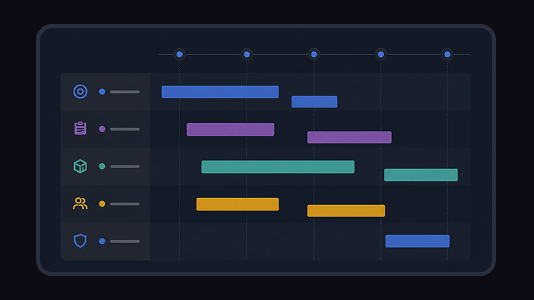
Create a Gantt chart from a task list, project brief, launch plan, or schedule notes. Map start dates, end dates, durations, dependencies, task owners, progress, and milestones on a visual project timeline.

Project Tracker TemplateTemplates

Project Tracker Template

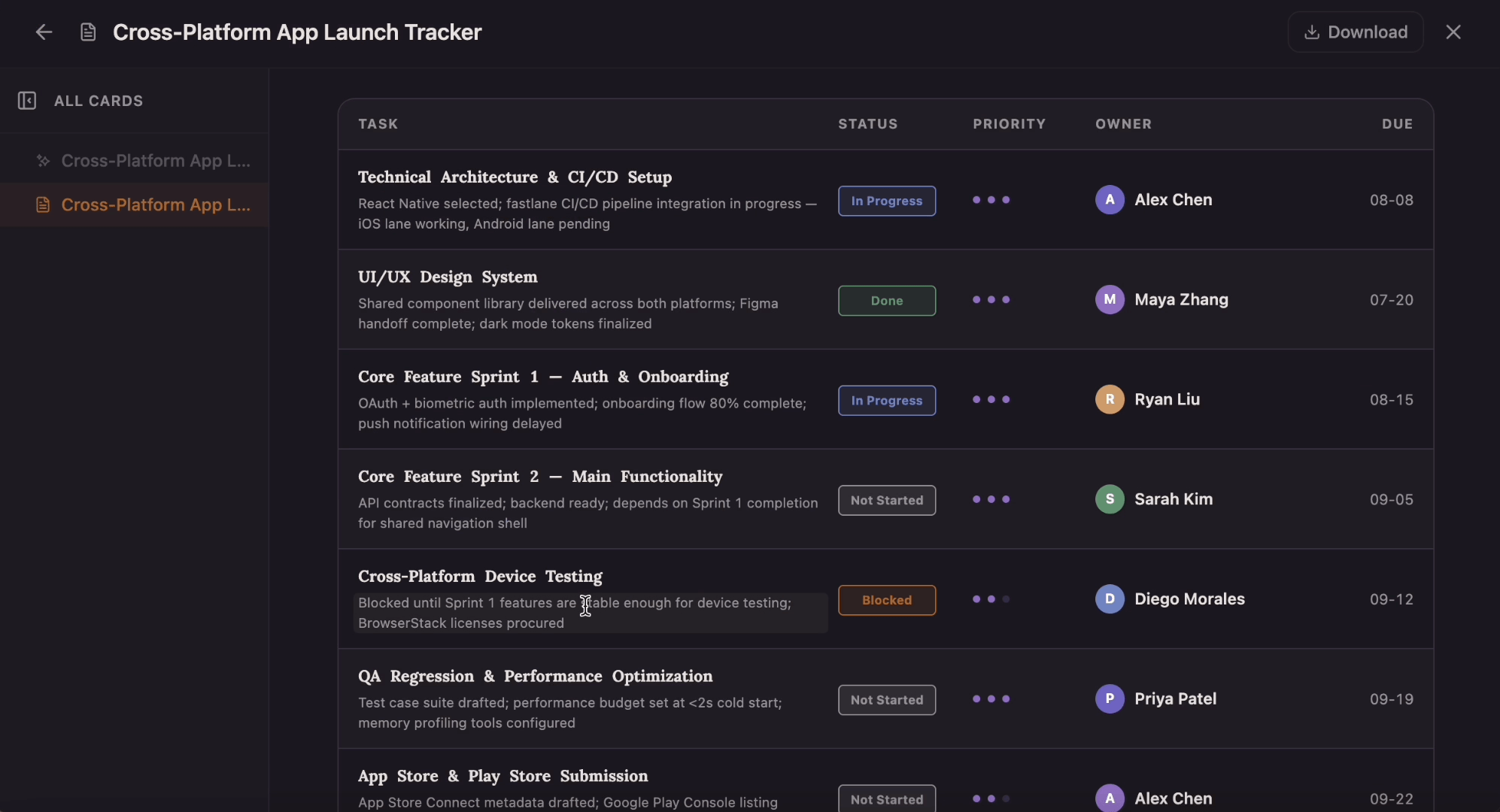
Which tasks are on track, and which are quietly blocked? This tracker gives every task a row with a four-state status pill, a one-to-three-dot priority, an owner, and a due date that flips to red the moment it slips past today.

Timeline MakerTools

Timeline Maker

Create a timeline from project milestones, historical events, company moments, campaign dates, or lesson notes. Add the key dates, arrange the sequence, and shape the result into a visual timeline on canvas.

Frequently Asked Questions About Project Planner

Quick answers for creating project plans, using templates, and understanding how Flowacts fits into project planning.

A project planner can be a person, a planning document, or a tool that helps organize a project before and during execution. As a tool, a project planner helps define the project goal, tasks, owners, milestones, dependencies, risks, and deadlines.

Start with the project goal, define the scope, list major deliverables, break the work into tasks, assign owners, estimate dates, and identify risks. In Flowacts, you can begin with a short prompt such as 'Create a project plan for a website redesign', then refine the project planner on canvas.

Yes. Flowacts can help you create a reusable project planner template with sections for scope, tasks, owners, milestones, deadlines, risks, and resources. You can adapt the structure for launches, client projects, campaigns, internal work, or school projects.

A useful project planner should include the goal, scope, deliverables, task list, owners, deadlines, milestones, dependencies, risks, resources, and success criteria. Larger projects may also need a communication plan, budget, approval process, and status review cadence.

Yes. A project planner is useful even for small projects because it clarifies what needs to happen and who owns each part. Keep the plan lighter: a goal, a few phases, key tasks, deadlines, owners, and risks are often enough.

Don't just chat it. Flowacts it.

Start with one idea. Leave with a canvas full of context, evidence, alignment, and next actions.