TEMPLATE
Move from a chaotic, unfocused team synch to a clear, goal-driven session. Use the template to map out target timeframes, critical discussion topics, speaker roles, and post-meeting action items while Flowacts outlines, organizes, and sharpens your notes.
A meeting agenda gives every participant a shared plan for what will be discussed, who is responsible, how much time each topic gets, and what outcome the meeting should produce.
Flowacts helps you move from scattered notes and loose talking points to a structured agenda canvas. Use it for team syncs, project kickoffs, leadership reviews, client calls, sprint ceremonies, board meetings, and async planning sessions.
Most agendas become static documents that are forgotten once the meeting begins. Flowacts keeps the agenda, notes, decisions, and next steps in one editable canvas.
You can start with rough talking points, ask AI to organize them into a clear agenda, update the structure as the discussion changes, and generate a summary with action items when the meeting ends.
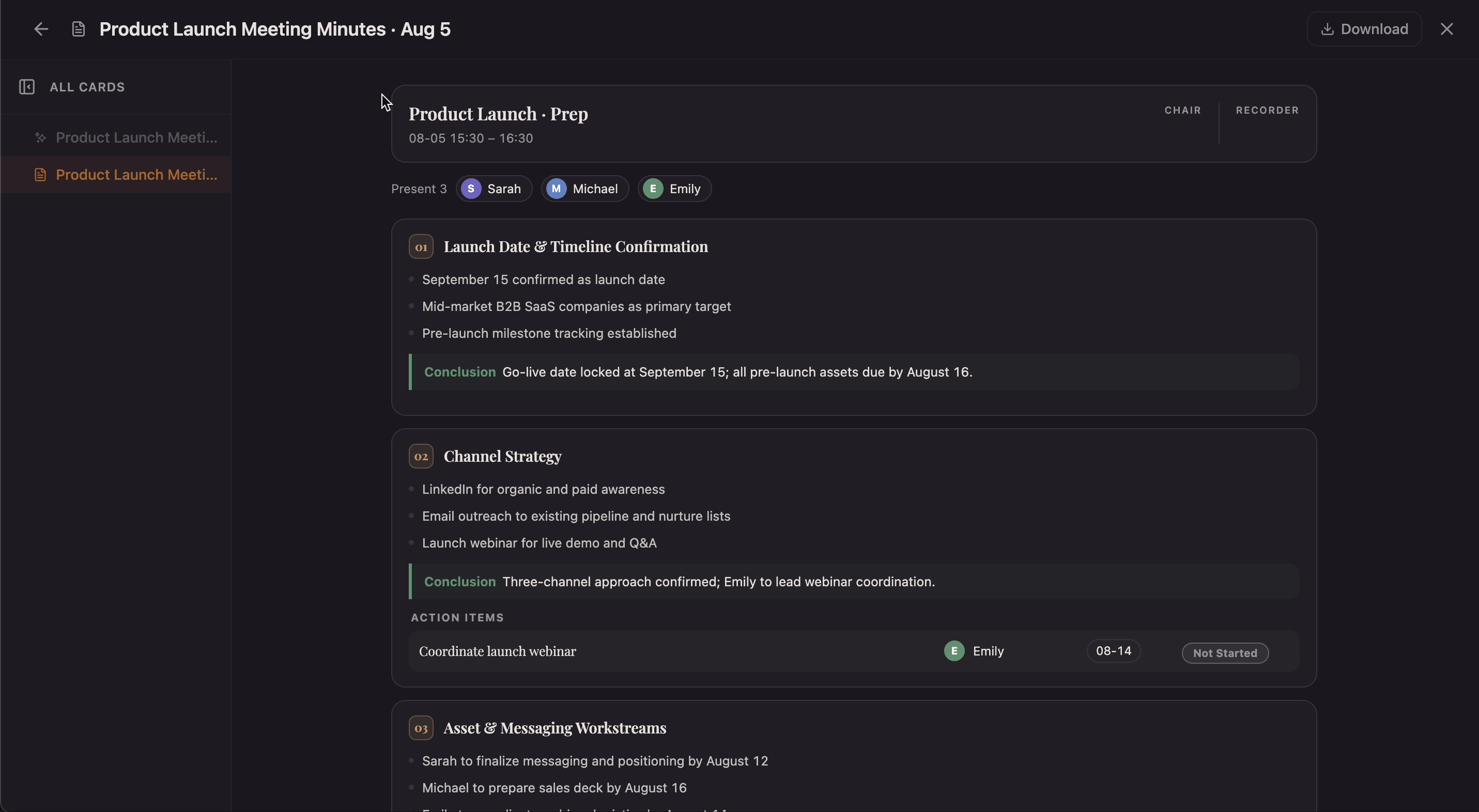
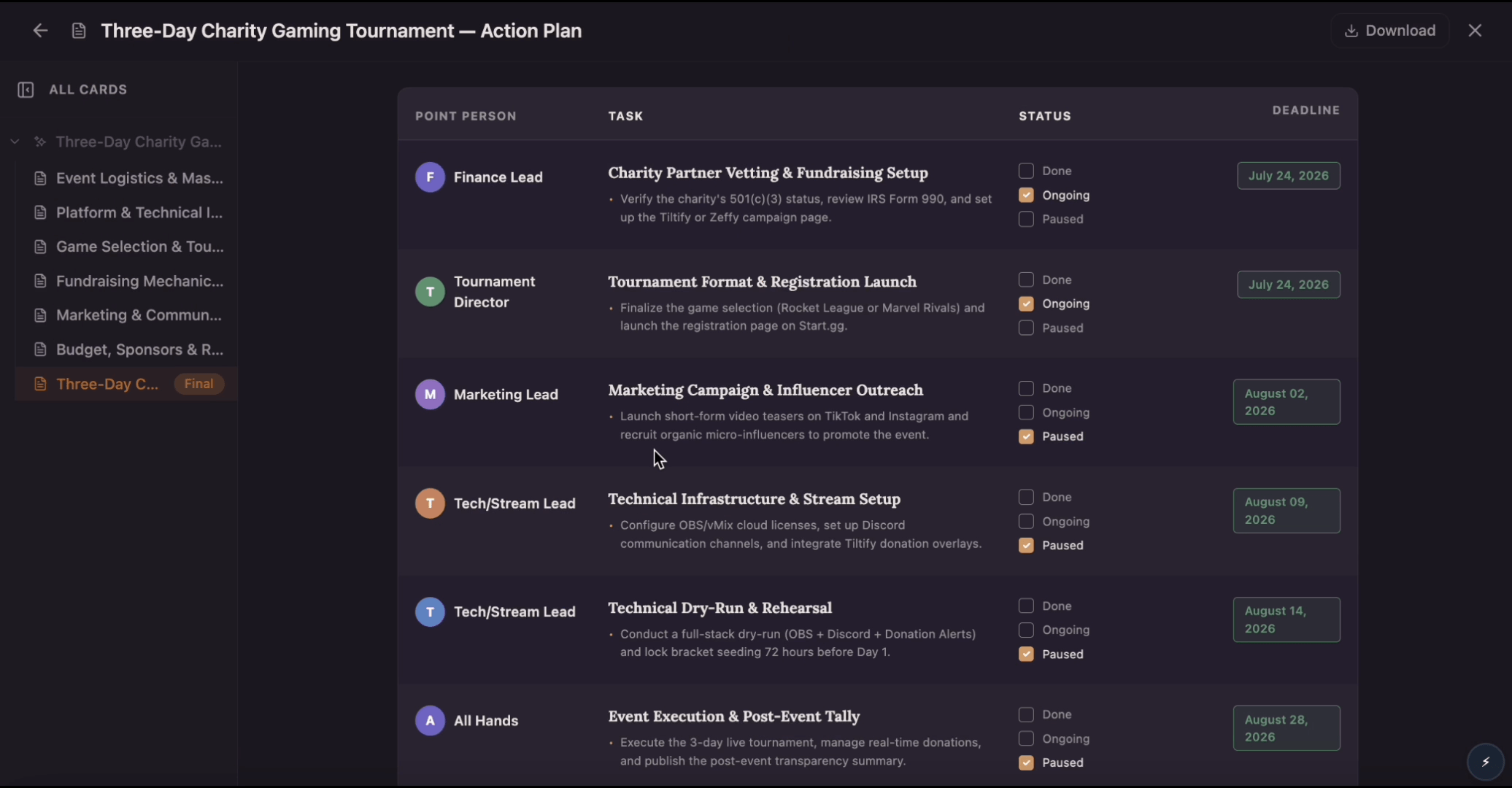
The template features interactive sections designed to map out phases, time allocations, and designated owners for every meeting segment. It includes AI-powered prompts that automate long summaries, rephrase complex meeting notes, and highlight key decisions in real time. Furthermore, it converts collaborative discussion blocks directly into clear task assignments and documented action items.
Use this template layout when your team is tracking a tight timeline, coordinating a highly visible launch, or preparing a cross-functional project sync. It is ideal for situations where you need to share talking points early, gather feedback in advance, and make sure busy stakeholders stay perfectly aligned.
Click “Use Template” to open a new canvas with a meeting agenda prompt already prepared. This action instantly initializes your collaborative workspace and sets up an interactive input bar.
Edit the meeting type, industry, target participants, schedule constraints, and sync-up goal to match your situation. Tailoring these specific fields tells the AI exactly how to structure your upcoming session.
Create a structured meeting agenda canvas with sections for executive summary, timeline analysis, speaker allocation, financial assumptions, risks, milestones, and next steps. The system automatically groups your notes, maps out time blocks, and prepares a clear, single-page framework.
Ask follow-up questions, add new sections, or adjust the plan as your business session changes. You can use the conversational chat sidebar to tweak your timeline, attach relevant documents, or instantly reassign talking points.
Skip the frustration of staring at a daunting blank canvas—our templates do the foundational setup work for you right away.
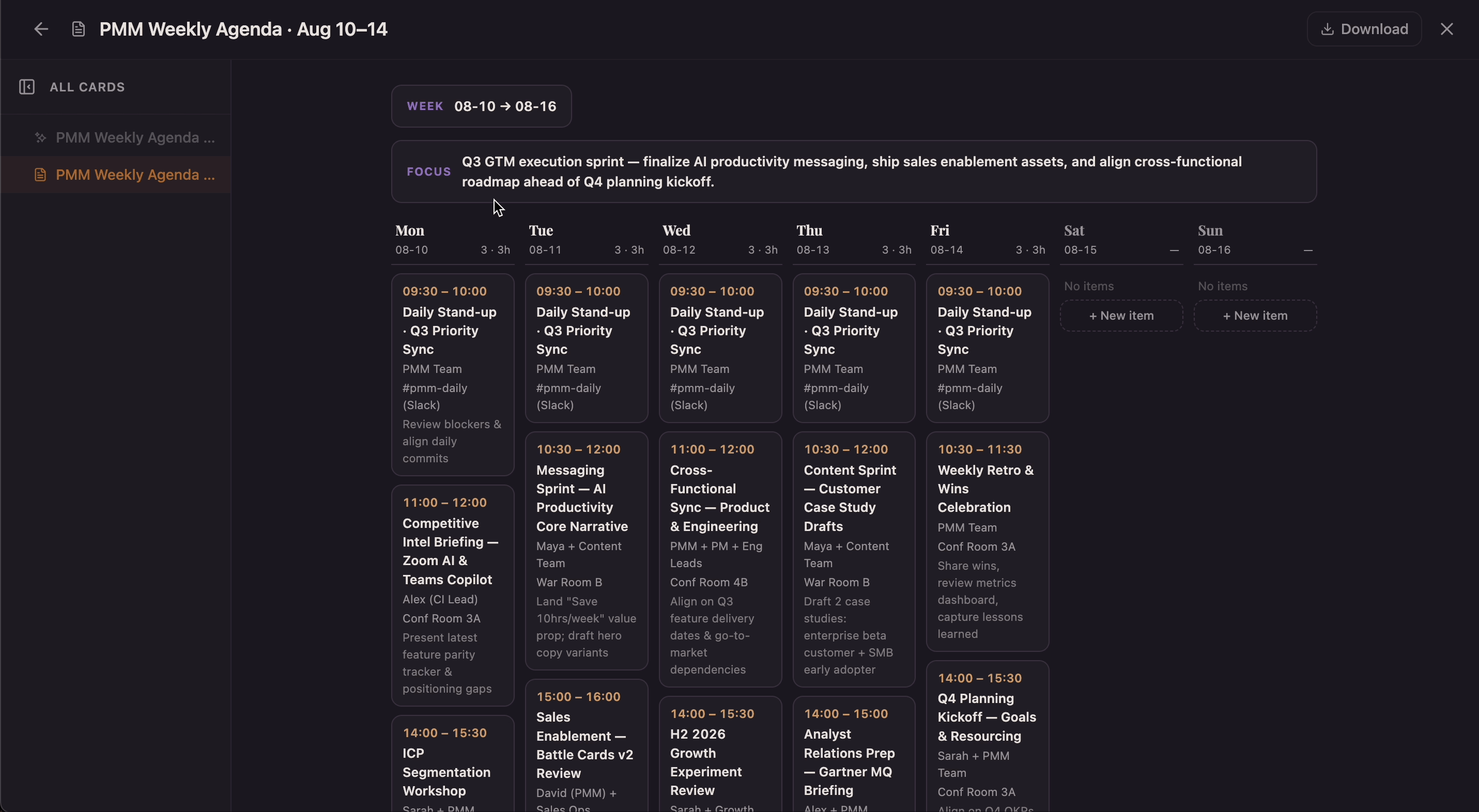
Track schedules effortlessly. Use the built-in planner and AI prompts to manage your meeting phases. If a discussion runs over its time block, the AI can instantly summarize the remaining points so you can pivot smoothly.
Coordinate your team visually. Map out your speaker roster and assign discussion topics openly on the board, making it easy for participants to see exactly when they need to present or share information.
Turn talk into execution. Instantly capture and synthesize raw meeting notes. The AI helps you pull key decisions out of conversational text fields and convert them directly into structured action items.
Got a question about how this specific canvas behaves? Here is what you need to know before you get started.
A meeting agenda is a structured outline of topics, timeframes, and goals. The AI keeps it effective by tracking time blocks, flagging overruns, and instantly turning raw meeting minutes into actionable assignments.
To write an agenda, identify the core meeting goal, list the key talking points, allocate specific time blocks for each item, and assign a discussion lead for each section. FlowActs automates this by turning your raw meeting goals into an interactive visual timeline instantly.
The 40-20-40 framework allocates 40% of the effort to pre-meeting prep work, 20% to the live sync, and 40% to post-meeting follow-through. FlowActs automates this entire lifecycle on a single page: teams use shared canvas links to collaborate on the talking points early, track the live conversation using visual cards, and immediately translate the discussion blocks into real-time task assignments.
The canvas accommodates both real-time and asynchronous collaboration perfectly. Simply outline the type of meeting and its parameters beforehand on the board. Scattered or remote team members can drop their feedback, link documentation, or add progress notes to their designated agenda blocks whenever they log on, ensuring alignment without requiring a live call.
Absolutely. For high-stakes board or executive meetings, you can cluster routine items into a dedicated "consent agenda" card for rapid, single-vote approval. You can also upload external data sheets, slide decks, or pitch URLs directly onto the canvas as visual exhibits. This ensures all core reference materials stay pinned right next to their relevant timeline tracks.
You can share the canvas via link (with edit or view access) or export it as PDF, Word, or markdown. The exported version keeps the clean structure and timing.