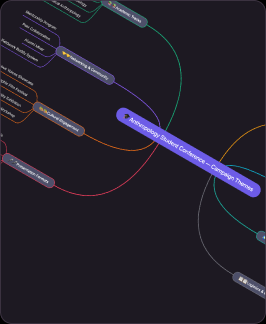
 Templates
Chart
Turn complex ideas into clear visuals. Prompt Flowacts to map out flowcharts, user journeys, and mind maps instantly on an infinite canvas.

Turn scattered ideas, research notes, and meeting threads into a clear mind map. Flowacts helps you create branches, organize details, and shape next actions on an editable canvas.
You do not need to start from a blank canvas. Describe your topic, paste your notes, or drop in a rough idea. Flowacts turns it into a structured mind map you can edit, expand, and share.
01
Type the topic you want to map, choose a template, or paste a short note. Keep the starting point simple: one idea, question, project, lesson, or theme.
02
Break the central idea into main branches, then add subtopics, examples, notes, and questions. Rearrange branches as the map grows so related ideas stay close together.
03
Rename labels, adjust the layout, add visual details, and share the mind map online. Use it for brainstorming, study notes, research, planning, or presentations.
A mind map is a visual way to organize ideas around one central topic. Instead of writing a linear list, you place the main idea in the center and connect related branches around it. Each branch can hold subtopics, examples, questions, notes, or resources.
Mind maps are useful for brainstorming, study notes, product planning, research synthesis, meeting summaries, and strategy work. If you are searching for how to make a mind map, the simplest method is to start with one clear topic, add 3-6 main branches, then expand each branch with details that help you understand or act on the idea.
Flowacts turns that process into an online mind map maker workflow: describe the topic in chat, review the generated structure on canvas, then keep refining until the map becomes useful work.
Mind maps give ideas a shape without forcing them into a rigid outline too early. They help you keep the main topic visible while you explore branches, compare related notes, and notice where the structure needs more detail.

Mind maps make scattered ideas easier to scan. Use Flowacts to group notes, questions, risks, and opportunities into a structure your team can understand quickly.

Branches help you notice patterns, gaps, and dependencies. A mind map can show how customer needs connect to features, how research themes connect to insights, or how project ideas connect to milestones.

The first structure is only a starting point. Add details, remove weak branches, rename sections, and reshape the canvas around your own thinking.
Keep going with templates and tools for the same workflow.
TemplatesTurn complex ideas into clear visuals. Prompt Flowacts to map out flowcharts, user journeys, and mind maps instantly on an infinite canvas.
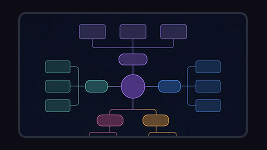 Tools
ToolsCreate a concept map from a topic, lesson note, research question, product idea, or complex subject. Connect concepts, examples, causes, effects, and relationships so the structure is easier to understand.
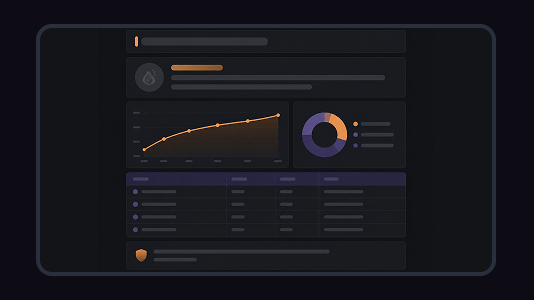 Tools
ToolsGenerate ideas in Flowacts and sort them into themes, branches, and next directions on an editable canvas for projects, content, and research.
 Templates
Turn ideas into visuals. Easily map out flowcharts and user journeys on an infinite canvas.
Learn how to make a mind map online, what to include in your branches, and how Flowacts works as a free mind map maker for brainstorming, research, study notes, and planning.
The best free mind map maker should help you start quickly, organize ideas visually, and keep the result easy to edit. Flowacts is built for users who want a simple input-to-canvas workflow for refining the final mind map.
Start with one central topic, add a few main branches, then expand each branch with subtopics, examples, questions, and actions. In Flowacts, you can describe the topic in a prompt and get a first mind map structure to refine.
Use an online mind map maker like Flowacts. Enter your topic or paste notes, review the generated branches, edit the map on canvas, and share it with teammates when the structure is ready.
Yes. Flowacts can be used as a mind map maker free to start. You can create a map from a prompt, explore templates, and refine your structure online.
A mind map generator usually creates an initial structure automatically. A mind map maker gives you tools to edit, organize, and polish that structure. Flowacts combines a quick starting draft with an editable canvas.
Start with one idea. Leave with a canvas full of context, evidence, alignment, and next actions.