 Tools
ToolsProject Planner
Create a project plan from a goal, brief, launch idea, client request, or team initiative. Map scope, tasks, owners, milestones, deadlines, risks, and resources into one editable planning canvas.

Turn scattered tasks, dates, and vendor notes into one clear event plan that maps your timeline, budget, and run of show, while Flowacts keeps your whole team moving toward the same date.
This event planning template gives your team a single canvas to organize every part of an event, from goals and audience to venue, budget, vendors, and schedule. Built-in sections keep tasks and owners in one place, while AI helps draft agendas and summarize decisions as plans change. Because the canvas is shared, everyone works from the same plan instead of scattered spreadsheets and chat threads.
Most event plans start as a spreadsheet and a few docs that drift out of date the moment something changes. Flowacts keeps the whole plan in one editable canvas, so the timeline, budget, vendor notes, and next steps stay together and current for everyone. When a date slips or a speaker drops, the change lives where the team already looks.
You can start with rough notes, ask the AI to organize them into a clear schedule, and update the canvas as decisions land. Invite marketing, logistics, and leadership to work on their own sections while seeing the full picture. This makes the template useful across every stage, from early scoping to day-of coordination and the post-event wrap-up.
The template includes sections for your event goals and audience, a planning timeline with milestones, a task checklist with owners and due dates, a budget breakdown, a vendor and venue list, and a run of show for the day itself. AI prompts help you draft the agenda and turn raw notes into structured next steps.
Reach for this template when your team is planning a conference, workshop, product launch, or company event with many moving parts. It fits the moment you move from brainstorming the concept to coordinating dates, vendors, budget, and schedule across people.
Click “Use Template” to open a new canvas with an event planning layout already prepared.
Edit the event details — date, venue, audience, budget, and workstreams like logistics, marketing, and speakers — to match your event.
Create a structured plan with sections for your timeline, task checklist, budget, vendor list, and run of show.
Ask follow-up questions, draft an agenda, or adjust owners and deadlines as your event takes shape and details firm up.
Skip the frustration of staring at a daunting blank canvas—our templates do the foundational setup work for you right away.
Event plans shift constantly, so the canvas is built to absorb last-minute changes without breaking. Move a date or reorder the agenda, and the AI reworks the schedule and flags what else the change affects.
Keep logistics, marketing, budget, and vendors on a single board instead of separate files. Each team owns its own section while everyone sees the full event at a glance, so nothing falls through the cracks.
Turn messy planning notes into an execution-ready run of show. Ask the AI to convert scattered ideas into a timed, cue-by-cue schedule with owners, so the day itself runs on a clear script.
Got a question about how this specific canvas behaves? Here is what you need to know before you get started.
An event planning template is a reusable structure that lays out the parts of an event in one place, such as goals, audience, timeline, budget, vendors, and schedule. Instead of starting from a blank page each time, you fill in the sections for your specific event. It gives your team a consistent, repeatable way to plan.
A solid event plan covers your goals and target audience, a date and venue, a budget, a timeline with key milestones, a vendor and logistics list, and a day-of schedule or run of show. Many teams also add a contingency plan for last-minute changes and a section for post-event follow-up and results.
The 5 W's are What, Why, Who, When, and Where. “What” is the type and goal of the event, “Why” is its purpose, “Who” is your target audience, “When” is the date and time, and “Where” is the venue. Answering these five questions first gives the rest of your plan a clear foundation.
Event planning is the pre-event work: setting goals, budget, venue, theme, and the overall plan. Event management is executing that plan during the event, coordinating vendors and staff and handling problems in real time. In short, planning happens before the event, and management brings the plan to life on the day.
The template works for conferences, workshops, webinars, product launches, trade shows, and internal company events. You adjust the sections to match the scale, so a small team meetup and a multi-day conference can both start from the same canvas. Flowacts keeps the plan flexible as the event grows or changes.
Yes. The canvas can work as an event checklist template, event budget template, and event timeline template in one place. You can track tasks, owners, costs, vendors, deadlines, and day-of schedule without splitting the plan across separate files.
Browse related template categories to find more workflows connected to this template.
Keep going with templates and tools for the same workflow.
ToolsCreate a project plan from a goal, brief, launch idea, client request, or team initiative. Map scope, tasks, owners, milestones, deadlines, risks, and resources into one editable planning canvas.
 Templates
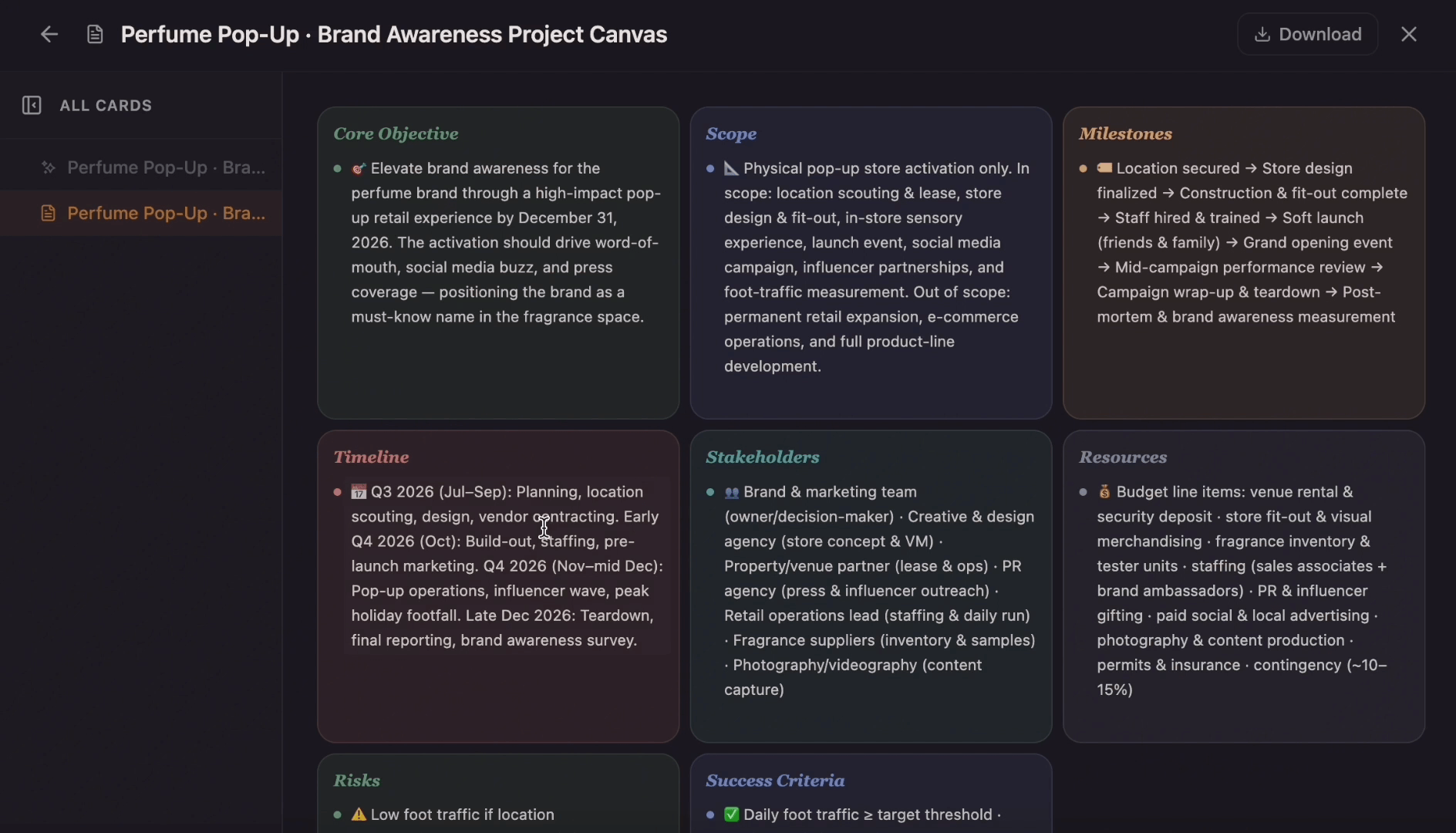
Ditch the flat spreadsheet and move from scattered task lists to a unified visual roadmap. Select this project management template to instantly generate a tailored workspace that maps out your exact project scope, timeline, deliverables, and blockers.
 Tools
ToolsCreate a timeline from project milestones, historical events, company moments, campaign dates, or lesson notes. Add the key dates, arrange the sequence, and shape the result into a visual timeline on canvas.
 Templates
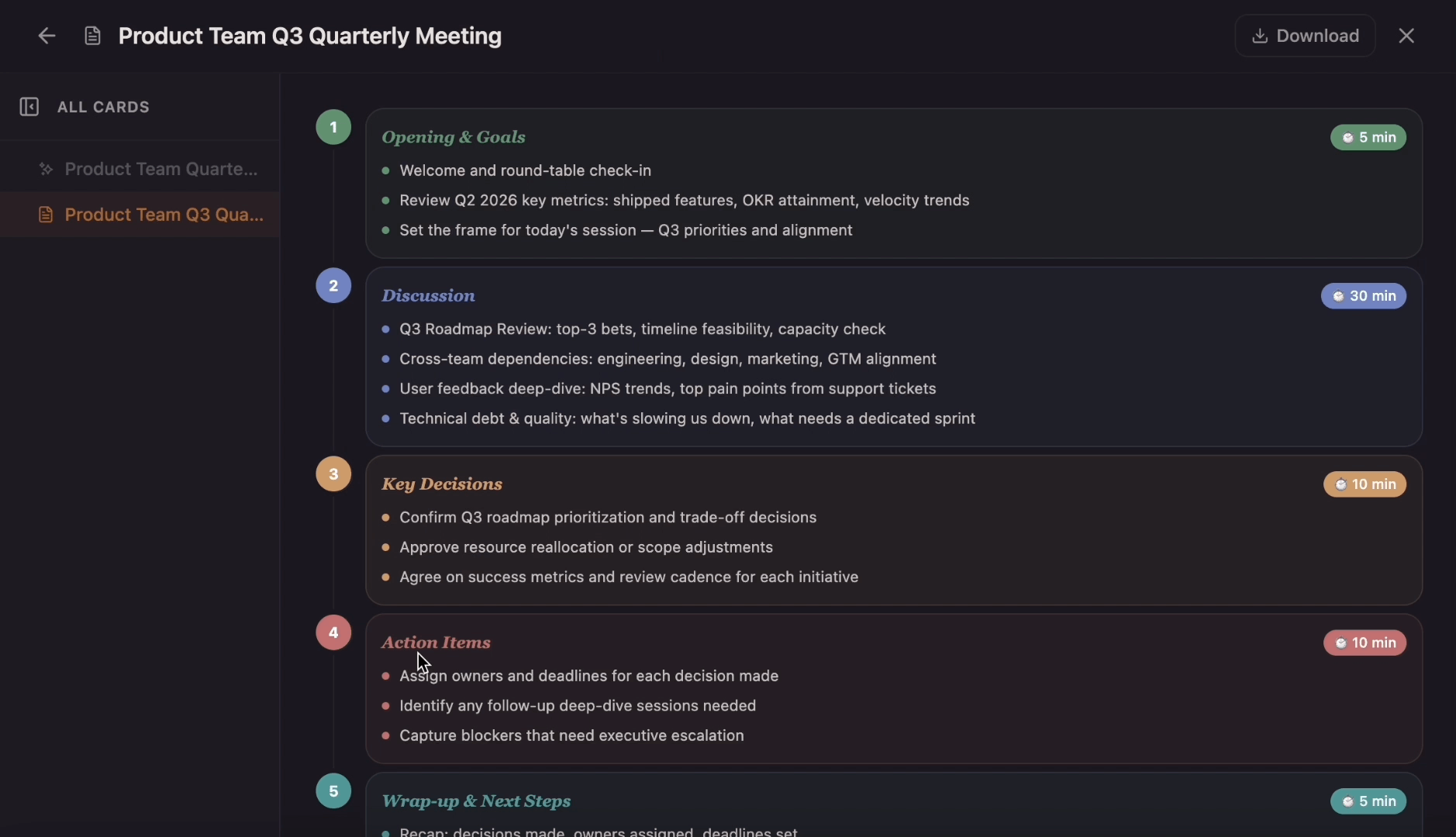
Move from a chaotic, unfocused team synch to a clear, goal-driven session. Use the template to map out target timeframes, critical discussion topics, speaker roles, and post-meeting action items while Flowacts outlines, organizes, and sharpens your notes.