

Flowacts Logo
How it worksWhy FlowactsUse casesTemplatesPricingFAQ
Flowacts Logo
The workspace where you, your team, and AI build together.

Product

PricingContact Us

Resources

Help Center

Explore

TemplatesTools

All rights reserved. © 2026 Flowacts

Privacy PolicyTerms of Use
ToolsSWOT Analysis Generator

SWOT Analysis Generator

Create a clear SWOT matrix for a business, product, project, or personal goal. Flowacts helps you separate strengths, weaknesses, opportunities, and threats so your strategy review starts with sharper evidence.

Once your project is created, you can use @ to mention pages or nodes and quickly link related context.

How to Make a SWOT Analysis with Flowacts

Start with the thing you are evaluating and add the context you already have. Flowacts helps shape that input into a SWOT chart you can review, refine, and use in a planning discussion.

01

Describe the subject

Enter the company, product, project, campaign, market, or personal goal you want to evaluate. Add useful context such as audience, competitors, goals, constraints, or notes from a strategy audit.

02

Review the four quadrants

Flowacts organizes the analysis into strengths, weaknesses, opportunities, and threats. Check whether each point belongs in the right quadrant and whether it is internal, external, current, or emerging.

03

Refine the strategy view

Clarify vague points, combine duplicates, and add evidence where the matrix needs more detail. Use the finished SWOT analysis to compare advantages, risks, market openings, and pressure points.

What Is a SWOT Analysis?

A SWOT analysis is a four-quadrant strategy framework for evaluating strengths, weaknesses, opportunities, and threats. Strengths and weaknesses describe internal factors, such as capabilities, resources, positioning, gaps, or constraints. Opportunities and threats describe external factors, such as market shifts, competitors, customer demand, regulation, or timing.

A SWOT analysis generator helps you create that structure faster from a short prompt, notes, or audit findings. Instead of starting from an empty grid, you can begin with a draft SWOT chart and then refine the assumptions behind each quadrant.

Why SWOT Analyses Work

SWOT analyses work because they separate what you can control from what the market is doing around you. They give teams a shared view of advantages, gaps, openings, and risks before choosing a strategy.

Separate internal and external factors

SWOT keeps controllable issues apart from market pressure. That makes it easier to see where a team can act now and where it needs to watch competitors, customers, or timing.

Make strategy tradeoffs visible

A SWOT matrix puts advantages, gaps, openings, and risks in one scannable view. Teams can compare which strengths support an opportunity and which weaknesses make a threat more serious.

Turn audit notes into a usable chart

Strategy audits often produce scattered observations. A SWOT chart gives those observations a shared structure so product, marketing, operations, or leadership teams can discuss the same evidence.

Related tools & templates

Keep going with templates and tools for the same workflow.

SWOT Analysis TemplateTemplates

SWOT Analysis Template

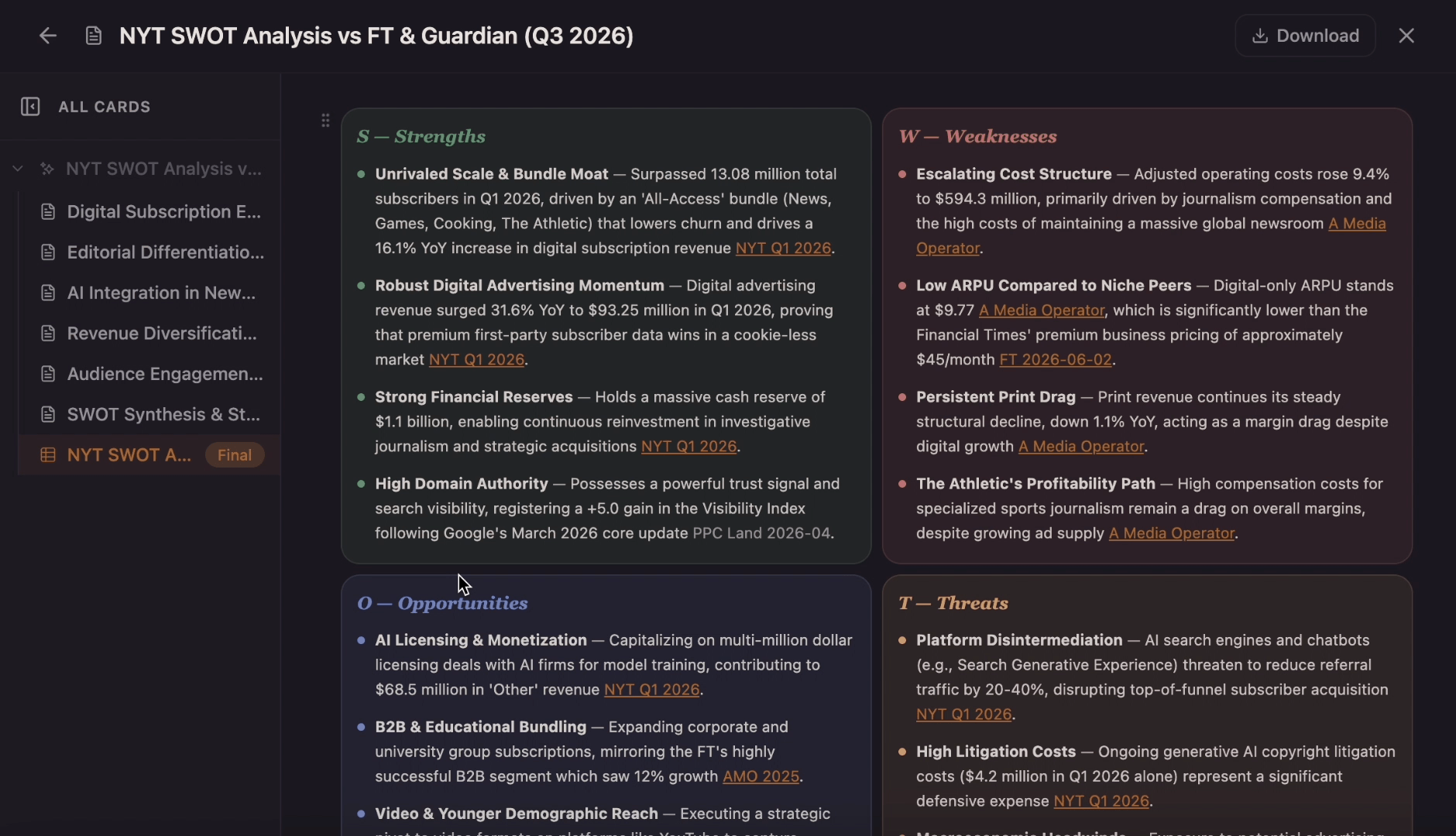
Use this template to generate a collaborative canvas that explores the internal strengths and weaknesses alongside external market opportunities and threats of your business and to better inform decisions when it comes to strategy planning, action plans, management, and your project's next steps.

StrategyTemplates

Strategy

Skip manual sorting. Prompt Flowacts to generate visual SWOT analyses and market breakdowns.

Decision Matrix MakerTools

Decision Matrix Maker

Create a timeline from project milestones, historical events, company moments, campaign dates, or lesson notes. Add the key dates, arrange the sequence, and shape the result into a visual timeline on canvas.

Action Plan templateTemplates

Action Plan template

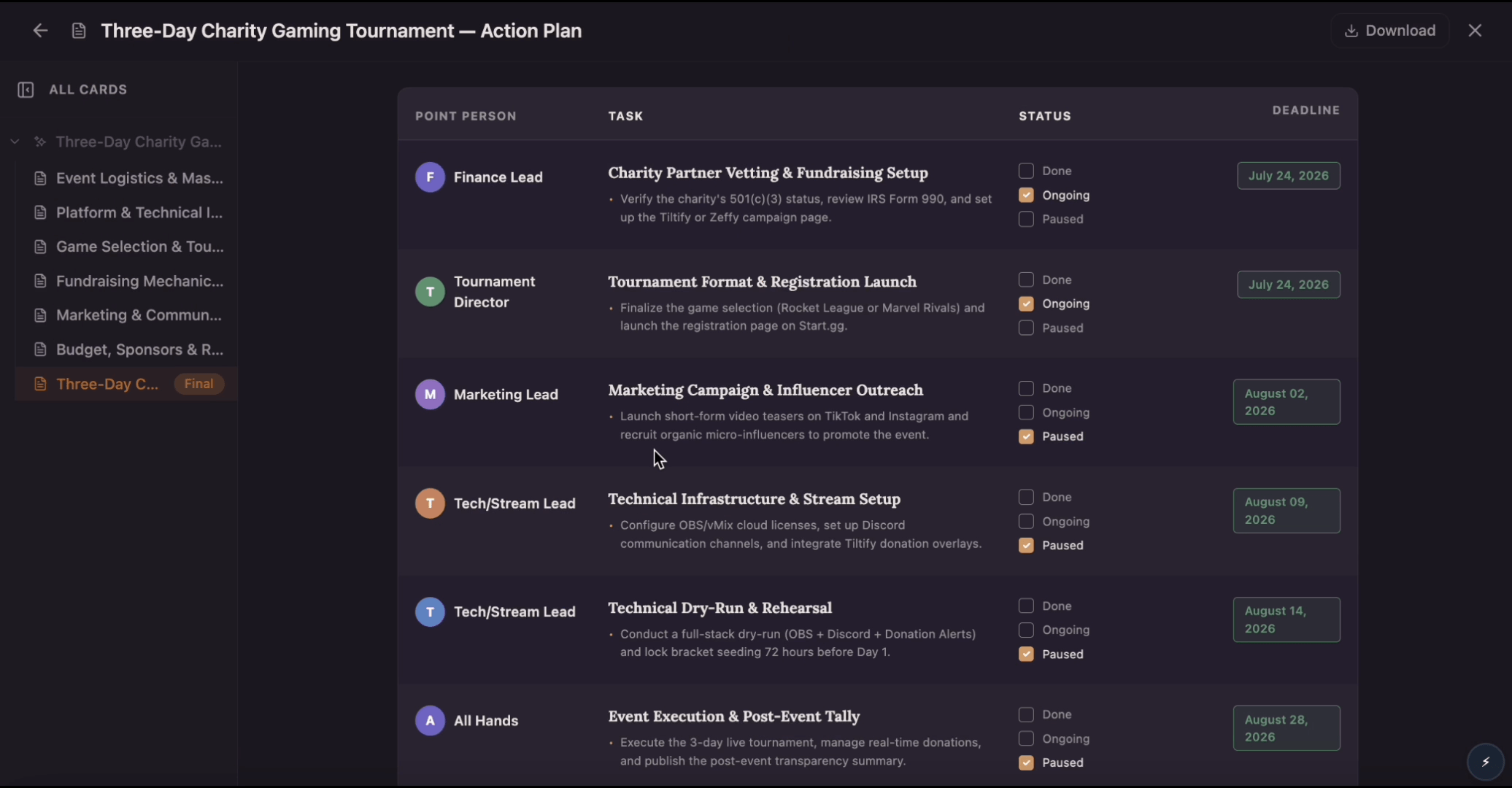
Build an action plan that turns ambitious goals into accountable work by breaking them into clear tasks with assigned owners, visible status, and real deadlines. Use this template to map out who does what by when, track progress as tasks move from planned to done, and keep everyone aligned while Flowacts organizes updates and surfaces what needs attention next.

Frequently Asked Questions About SWOT Analysis Generator

Quick answers for creating a SWOT analysis online with Flowacts.

A SWOT analysis generator is a tool that helps create a SWOT chart from a prompt, notes, or strategy context. It organizes information into strengths, weaknesses, opportunities, and threats so you can review the business or project from four angles.

Start by naming the business, product, campaign, project, or personal goal you want to evaluate. Add any useful context, then review the generated SWOT matrix and refine each quadrant with clearer evidence or more specific examples.

Flowacts can help you draft a SWOT analysis from a natural-language prompt. The best results come from adding real context, such as the market, audience, competitors, goals, constraints, or findings from a strategy audit.

Include internal strengths, internal weaknesses, external opportunities, and external threats. Useful inputs include product advantages, team capabilities, customer feedback, budget limits, market trends, competitors, regulations, and timing risks.

A strategy audit usually contains observations about performance, market position, customers, competitors, risks, and resources. Those observations can be sorted into the four SWOT quadrants, then edited so each point is specific enough to support a strategy discussion.

Yes. A personal SWOT analysis can map skills, gaps, career openings, and outside risks. For personal planning, include context such as your target role, experience, interests, constraints, and the market you want to enter.

Don't just chat it. Flowacts it.

Start with one idea. Leave with a canvas full of context, evidence, alignment, and next actions.