 Tools
ToolsPros and Cons Maker
Make a balanced pros and cons list for one decision. Flowacts helps you separate reasons for and against, group related points, and see what still needs more context before you choose.

Compare choices with criteria, weights, scores, and supporting notes in one visual decision matrix. Use Flowacts to see which option wins and why the tradeoff makes sense.
Start with the decision you need to make, then turn options and criteria into a matrix you can inspect, adjust, and explain.
01
Add the choices you are comparing, then define the criteria that matter: cost, speed, risk, fit, effort, quality, or any decision factors you need.
02
Give important criteria more influence so the matrix reflects the real decision, not just a flat checklist.
03
Compare scores, inspect the strongest and weakest options, and keep notes, links, and context near the final recommendation.
A decision matrix is a structured table for comparing several options against the same criteria. It helps you list choices, weight what matters, score each option, and see the tradeoffs behind a final recommendation.
For product teams, founders, operators, students, and consultants, the point is not just a neat grid. A useful decision matrix makes assumptions visible: why one option scores higher, which criteria matter most, and what context should stay attached in Flowacts..
Decision matrices help when a choice has more than one "best" answer. They make tradeoffs visible so teams can discuss the same evidence instead of arguing from memory.

A matrix keeps cost, quality, effort, timing, and risk in the same view, so one loud factor does not quietly decide everything.

Weighted scores make the reasoning easier to explain to a team, client, or stakeholder who was not in the original discussion.

Flowacts lets you keep notes, assumptions, and links near the matrix, so the final ranking is connected to the context behind it.
Keep going with templates and tools for the same workflow.
ToolsMake a balanced pros and cons list for one decision. Flowacts helps you separate reasons for and against, group related points, and see what still needs more context before you choose.
 Templates
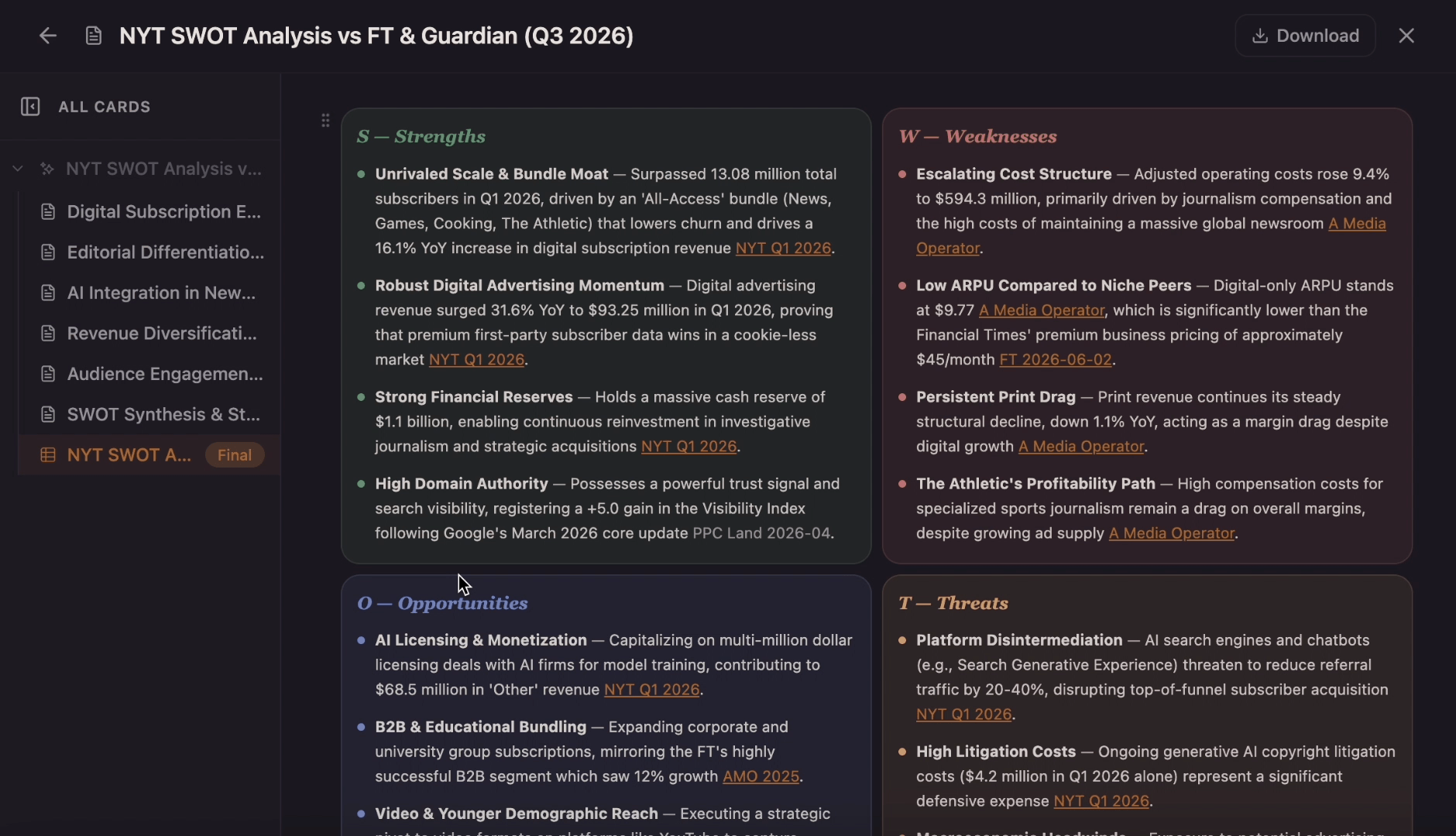
Use this template to generate a collaborative canvas that explores the internal strengths and weaknesses alongside external market opportunities and threats of your business and to better inform decisions when it comes to strategy planning, action plans, management, and your project's next steps.
 Tools
ToolsCreate a clear SWOT matrix for a business, product, project, or personal goal. Flowacts helps you separate strengths, weaknesses, opportunities, and threats so your strategy review starts with sharper evidence.
 Templates
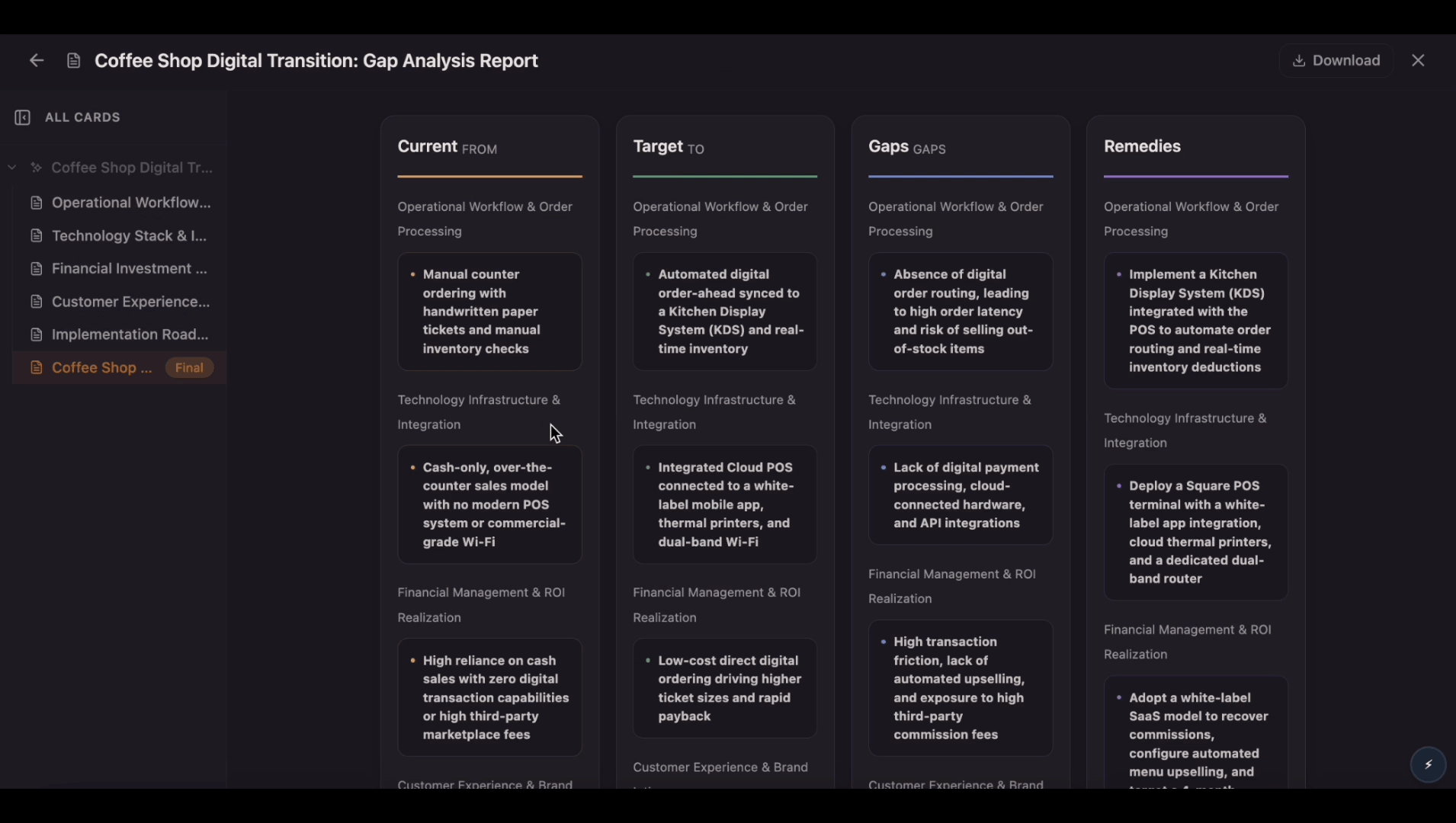
Compare your current state with your desired future state on one editable canvas. Use this gap analysis template to identify gaps, understand root causes, prioritize actions, and track progress as your team closes the gap.
Answers for people comparing options, building weighted criteria, or replacing a spreadsheet with a clearer canvas.
Add the options you want to compare, choose the criteria, assign weights if some factors matter more, then score each option. Flowacts helps you place the matrix and supporting context on one canvas.
A weighted decision matrix gives more influence to important criteria. For example, customer impact might count more than implementation effort when you are choosing a product feature.
Yes. Excel works for rows and formulas, but Flowacts is better when you want the matrix beside notes, links, sketches, assumptions, and team comments.
A pros and cons list is best for one choice with two sides. A decision matrix is better when you have multiple options and need to compare them against the same criteria.
Start with one idea. Leave with a canvas full of context, evidence, alignment, and next actions.