 Templates
Analysis
Turn ideas into visuals. Easily map out flowcharts and user journeys on an infinite canvas.

Create an online flowchart from a workflow, SOP, user journey, support path, or code outline. Describe what happens, where the process branches, and what each outcome should show, then refine the diagram on canvas.
Flowacts is for the moment when a process is trapped in notes, docs, tickets, or code. Start with the raw flow, then shape it into a diagram where every step, decision, and handoff is easier to follow.
01
Type a short workflow, paste an SOP, summarize a user journey, or describe a piece of code logic. Include decision points if you already know them, such as approved/rejected, yes/no, success/error, or manual/automated.
02
Review the first diagram for missing steps, unclear labels, repeated paths, and handoffs that need context. This is where a rough process starts becoming a usable workflow diagram.
03
Rename nodes, add connectors, rearrange paths, and share the finished flowchart in documentation, planning docs, onboarding material, or team reviews.
A flowchart generator helps you turn a process into a visual diagram of steps, decisions, branches, and outcomes. It is useful when a workflow has more logic than a checklist can show: approvals split into different paths, support cases escalate by condition, code branches on errors, or a user journey changes after each choice.
As an online flowchart generator, Flowacts lets you start from plain language, meeting notes, an SOP, or a code outline, then refine the result with standard flowchart elements such as start and end points, process boxes, decision diamonds, arrows, and connectors. The goal is not just a cleaner picture. It is a shared process map that helps people spot gaps, explain handoffs, and agree on what should happen next in the flow.
Flowcharts work because they make hidden process logic visible. They show where work starts, where it can split, who or what handles each step, and where the process ends.

Show every place where the flow changes direction: approved or rejected, complete or incomplete, success or error, customer or internal team. This makes exceptions easier to review before they cause confusion.

When the whole process is visible, missing owners, vague handoffs, repeated checks, and slow approval points are easier to catch. A flowchart helps teams improve the process, not just document it.
Use the same diagram across product reviews, operations docs, support playbooks, engineering notes, and onboarding. Everyone can point to the same path instead of interpreting the process differently.
Keep going with templates and tools for the same workflow.
TemplatesTurn ideas into visuals. Easily map out flowcharts and user journeys on an infinite canvas.
 Templates
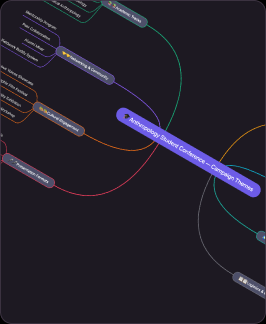
Turn complex ideas into clear visuals. Prompt Flowacts to map out flowcharts, user journeys, and mind maps instantly on an infinite canvas.
 Tools
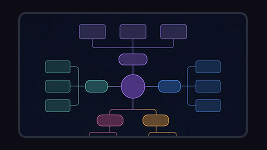
ToolsCreate a concept map from a topic, lesson note, research question, product idea, or complex subject. Connect concepts, examples, causes, effects, and relationships so the structure is easier to understand.
 Tools
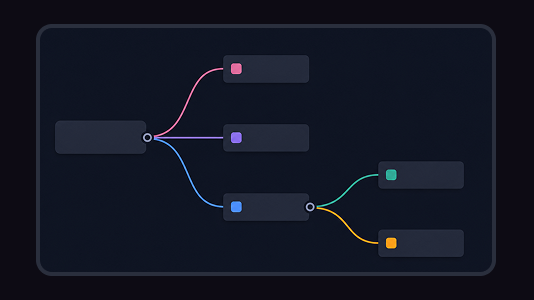
ToolsTurn scattered ideas, research notes, and meeting threads into a clear mind map. Flowacts helps you create branches, organize details, and shape next actions on an editable canvas.
These answers cover common questions about making process flows, workflow diagrams, and decision paths with Flowacts.
The easiest way is to start with the process in plain language. Write what happens first, where a decision changes the path, and what each outcome should be. Flowacts helps you turn that raw description into a diagram you can edit.
Yes. You can describe an approval process, customer journey, support path, SOP, or code branch, then use Flowacts to create a first flowchart structure. After that, you can rename steps, adjust paths, and add missing details.
Include a clear start point, the main process steps, decision points, possible outcomes, and an end point. If the flow has exceptions, add those branches too, such as rejected requests, failed payments, errors, or manual review.
Flowacts can help turn plain-language input into a structured flowchart draft, then lets you refine the diagram on canvas. It is useful when you want to move from notes, SOPs, or code logic to a clear process map faster.
Yes. You can start a flowchart in Flowacts for free, then edit the steps, decisions, and branches before sharing it with your team.
Start with one idea. Leave with a canvas full of context, evidence, alignment, and next actions.